
A month of on-brand posts from one content calendar

Set up your post layouts once. Then every sale, review, launch and job opening becomes a finished graphic by filling in a row, in every size you publish.

100 free images every month · No credit card

This week’s content plan
Mon
Autumn sale, -40% Winter sale, -30%
Wed
Customer review Customer review
Thu
New product, $24 New product, $38
Fri
We’re hiring We’re hiring
  • Instagram sale post over an autumn fashion photo with a 40 percent discount badge
    Sale post
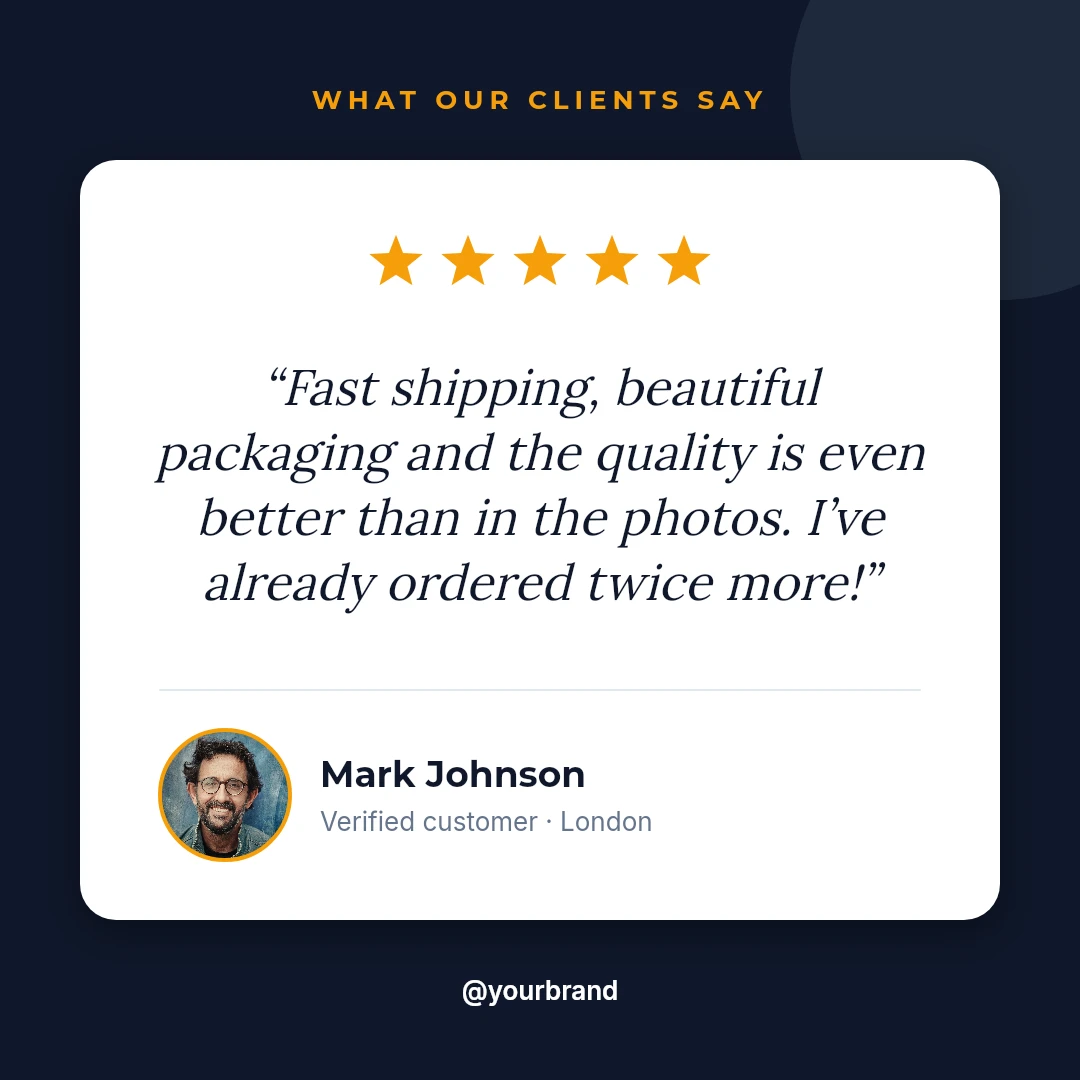
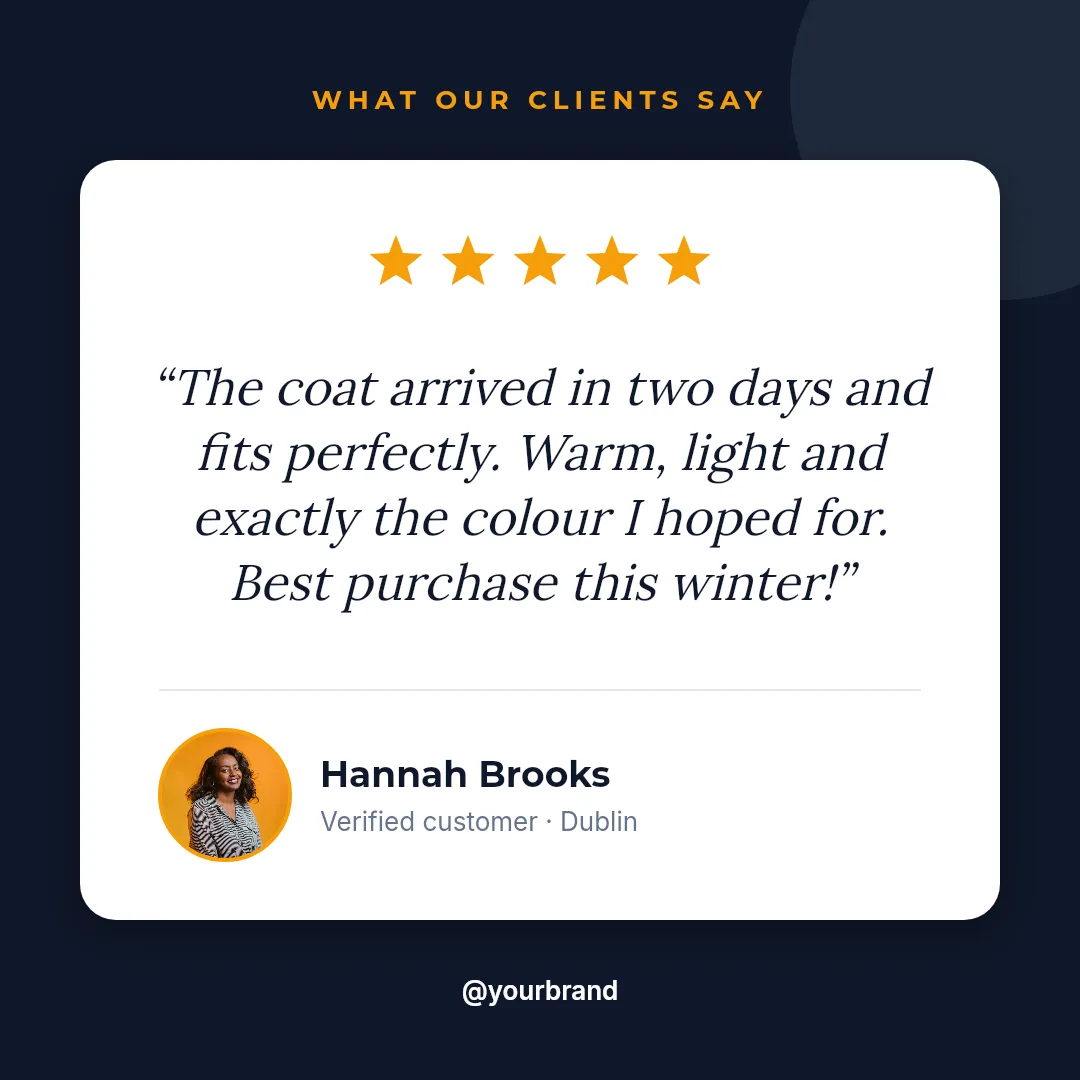
  • Customer testimonial card with five stars, the review text and the customer’s photo
    Review card
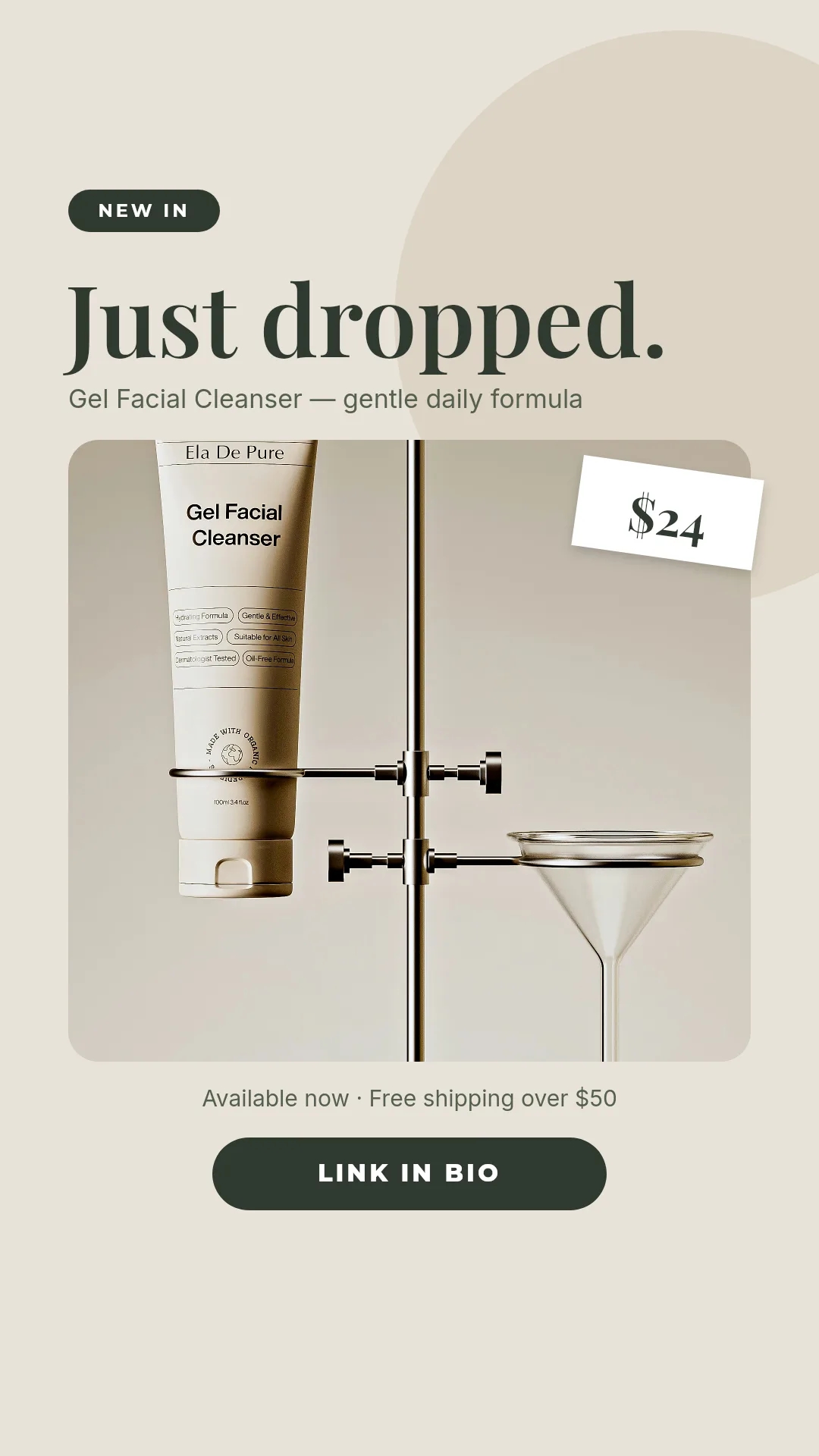
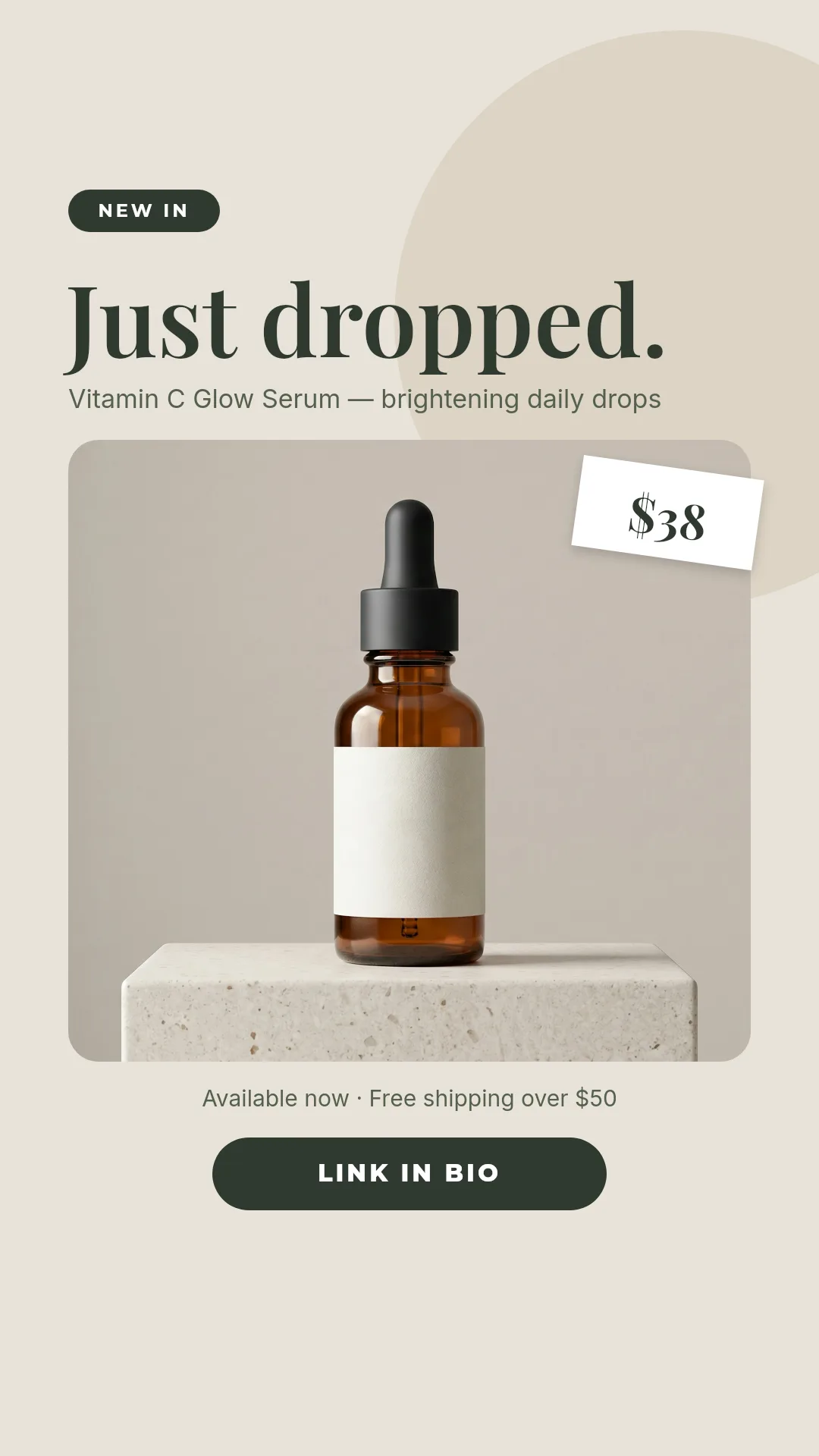
  • Instagram story announcing a new skincare product with a price tag
    Launch story
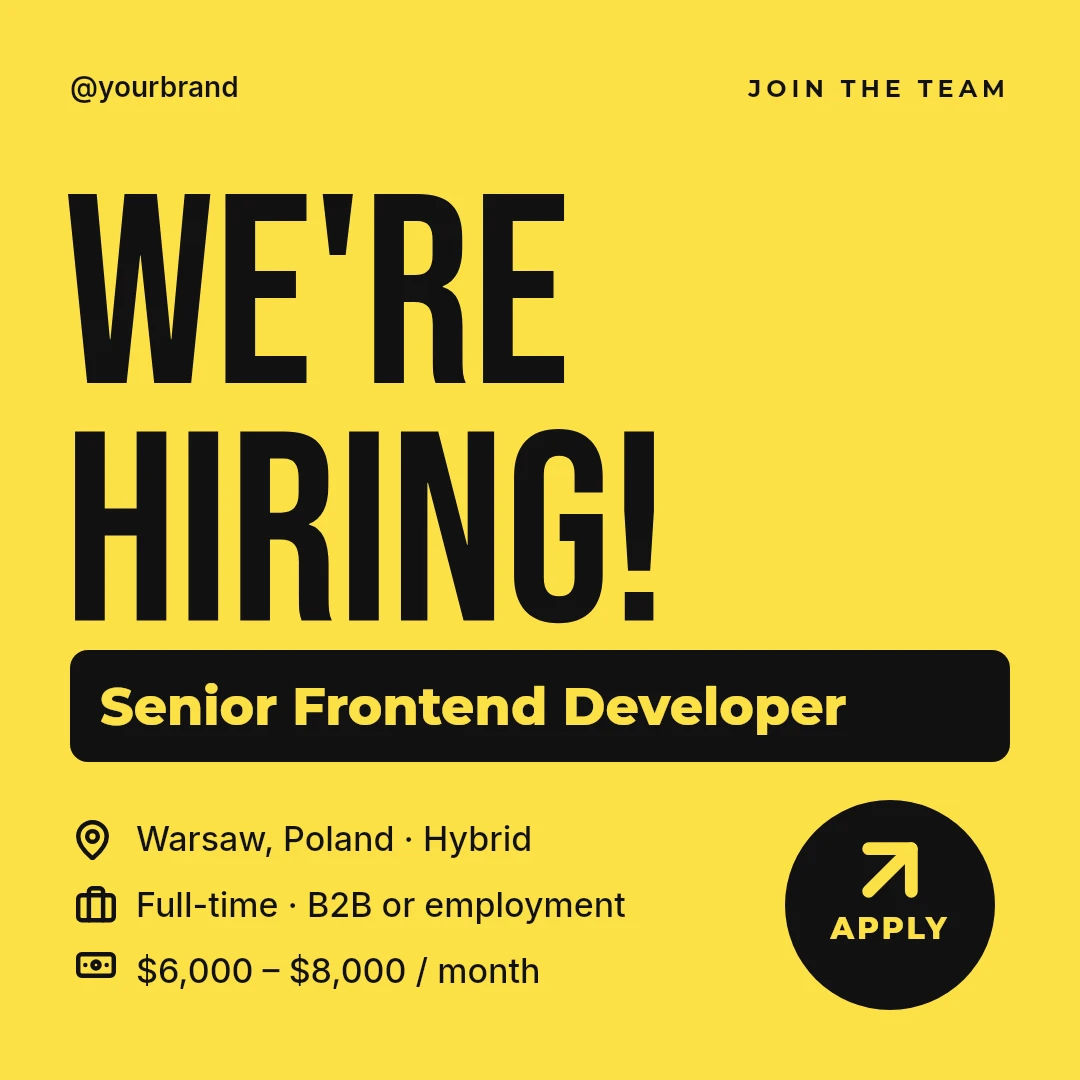
  • Yellow hiring post with the job title, location and salary range
    Hiring post

Each outlined field is a variable in the template, filled from your data. Change the post and the same templates give new images.

The job today

Posting every day should not need a designer every day

The design queue

A simple announcement waits days for a slot, or goes out without a graphic.

Brand drift

Each new file is a copy of a copy. Fonts and spacing slide a little further every month.

Three sizes of everything

Feed, story and link preview all need their own export, for every single post.

What you get

Four post types, ready to refill

Claude designed these as starter templates. Replace the photo and the words and each one is a new post.

  • Instagram sale post over an autumn fashion photo with a 40 percent discount badge
    Sale post 1080 × 1350 px
  • Customer testimonial card with five stars, the review text and the customer’s photo
    Review card 1080 × 1080 px
  • Instagram story announcing a new skincare product with a price tag
    Launch story 1080 × 1920 px
  • Yellow hiring post with the job title, location and salary range
    Hiring post 1080 × 1080 px

A Free account holds 5 templates, so it receives the first 5 of the 6: the sale photo, the quote card, the customer review, the polaroid frame and the launch story. The hiring post needs a paid plan, which has no template cap and gets the whole kit.

Three ways to make it

Ask your AI assistant

Connect Zandovi to Claude or ChatGPT once, then describe what you need. This brief is a good start:

Create Instagram templates for my brand: a sale post over a photo, a customer review card, a new product story and a hiring post. Make every text and photo a variable so I can reuse them.

Or fill in the details yourself

Open a template in the editor and type the details for one post. For many at once, upload a spreadsheet with one post per row and download a ZIP with every image.

Or let it run by itself

When you add a row to your content calendar, n8n sends it to Zandovi and drops the finished post into Slack for approval. Nobody opens the editor.

Google Sheets Zandovi Slack

What changes per post

These are the fields you fill in. Everything else stays on brand.

Photo
your own or a stock photo
Headline
Autumn Sale
Discount or price
-40% · $24
Dates and details
Nov 14 to Nov 20
Review text and name
Mark Johnson, London
Call to action
Shop now
Brand handle
@yourbrand

More that marketing teams make with Zandovi

Quote and tip series

One layout, a new line every day.

Event announcements

Speaker, date and a QR code to register.

Link previews

A branded image for every page you share.

Client work at agencies

One project per client, each with its own brand.

Questions

Marketing, asked and answered.

Do I need to know how to design?
No. Start from a ready template, or connect Claude or ChatGPT and describe what you need. After that you only fill in the details that change.
Can I use our own logo, fonts and colours?
Yes. Upload your logo, set the colours and fonts once in the template, and every image follows. Only the fields you marked as variables change.
Can I make a whole month of posts at once?
Yes. Put one post per row in a spreadsheet, upload it and download a ZIP with every graphic. Each row can have its own photo and text.
Does Zandovi publish to Instagram or Facebook?
No. Zandovi makes the images. You publish them yourself or pass them to your scheduling tool, for example through n8n.
What does it cost?
100 images a month are free. Paid plans start at $29 a month for 5,000 images.

Fill next month’s calendar this afternoon

Free for your first 100 images a month. No credit card.