A header and a link preview for every article

The title, the author, the category and the photo flow from the article into a branded image, so every story looks finished when it is shared.

100 free images every month · No credit card
One article
Title
Seven cosy soups
Author
Ola Nowak
Category
Recipes
Read time
6 min
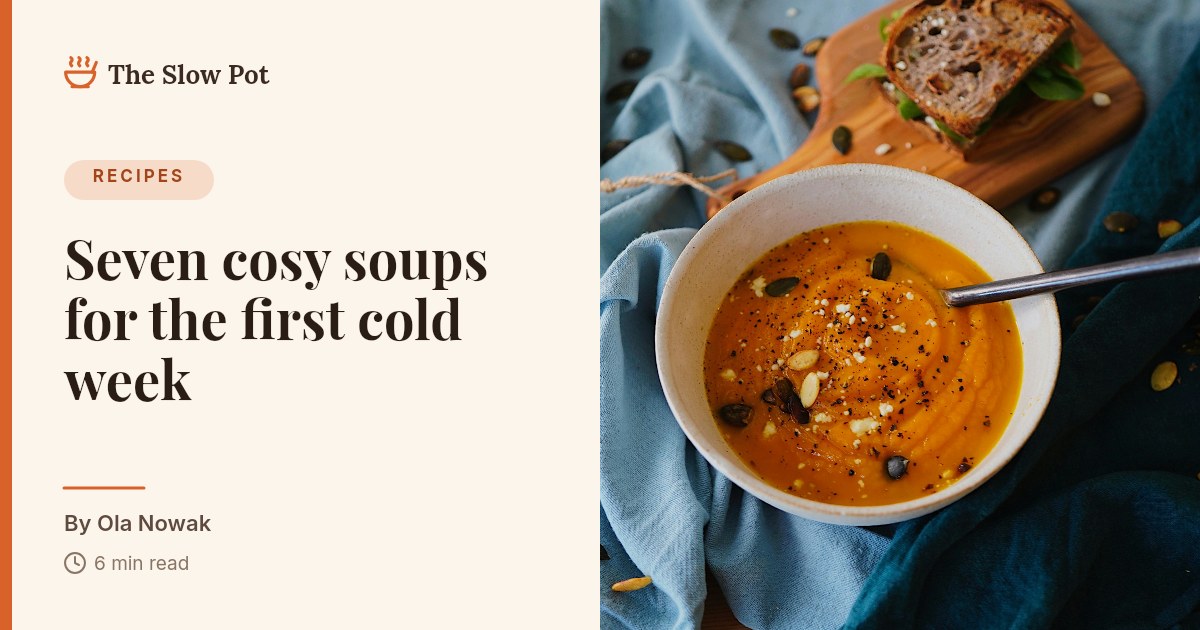
  • Blog header for a food blog with the article title, the author, the read time and a photo of pumpkin soup
    Article header
  • Cream editorial link preview with a serif article title and the author’s name
    Editorial link preview
  • Link preview with the article title set over a full photo
    Photo link preview

Each outlined field is a variable in the template, filled from your data.

The job today

Most articles are shared with no image at all

The blank preview

A link with no image, or the same logo every time, gets scrolled past.

A graphic per story

Nobody has time to open a design tool for every article on a busy day.

Old posts left behind

The archive never gets the new look, because redoing it by hand is not realistic.

What you get

One article, an image for every place it appears

The first header was designed by Claude. The others are ready templates from the library.

  • Blog header for a food blog with the article title, the author, the read time and a photo of pumpkin soup
    Article header 1200 × 630 px
  • Cream editorial link preview with a serif article title and the author’s name
    Editorial link preview 1200 × 630 px
  • Link preview with the article title set over a full photo
    Photo link preview 1200 × 630 px
  • Modern blog link preview with a title, a category tag and the author
    Blog link preview 1200 × 630 px

Three ways to make it

Ask your AI assistant

Connect Zandovi to Claude or ChatGPT once, then describe what you need. This brief is a good start:

Design a 1200 × 630 header for my blog with the category, the article title, the author, the read time and a cover photo. Make each of them a variable.

Or fill in the details yourself

Open a template in the editor and type the details for one article. For many at once, upload a spreadsheet with one article per row and download a ZIP with every image.

Or let it run by itself

When a new article is published, n8n reads it from your feed, sends the title and cover photo to Zandovi and stores the link to the finished image. Nobody opens the editor.

RSS feed Zandovi Save the link

What changes per article

These are the fields you fill in. Everything else stays on brand.

Article title
Seven cosy soups for the first cold week
Author
Ola Nowak
Category
Recipes
Read time or date
6 min read
Cover photo
from the article

More that publishers make with Zandovi

Quote cards

A line from the piece, ready for social.

Newsletter headers

A fresh banner for each issue.

Author cards

One layout, every contributor.

The whole archive

Export your posts to a spreadsheet and render them in one batch.

Questions

Publishing, asked and answered.

How does an image get made when I publish?
Your site or an automation sends the title, author and photo to Zandovi through the API or n8n and gets an image link back, which you set as the article’s social image.
Is there a WordPress or Ghost plugin?
Not yet. Sites connect through the REST API or the n8n node. For an existing archive, a spreadsheet export and one batch is usually the fastest route. How the n8n node works
Can I use our own logo, fonts and colours?
Yes. Upload your logo, set the colours and fonts once in the template, and every image follows. Only the fields you marked as variables change.
What happens with a very long title?
Text fields can shrink to fit their box, down to a size you choose, so a long headline stays inside the layout.
What does it cost?
100 images a month are free. Paid plans start at $29 a month for 5,000 images.

Give your next article an image worth sharing

Free for your first 100 images a month. No credit card.