Dynamic Images: What They Are and How to Build Them
- 29 Aug, 2026

You’re staring at a shared link preview that looks dull, a certificate backlog that needs to be personalized, or an OG card that still says “static image” in practice even though the content changes every day. The phrase dynamic images gets used for three different things, and teams waste time because they pick the wrong tool for the wrong meaning.
The three meanings are responsive markup, AI-generated images, and template-driven rendering. This guide uses the third one, the one that fills a reusable design with per-viewer or per-record data to produce things like personalized email graphics, social cards, certificates, tickets, and vouchers.
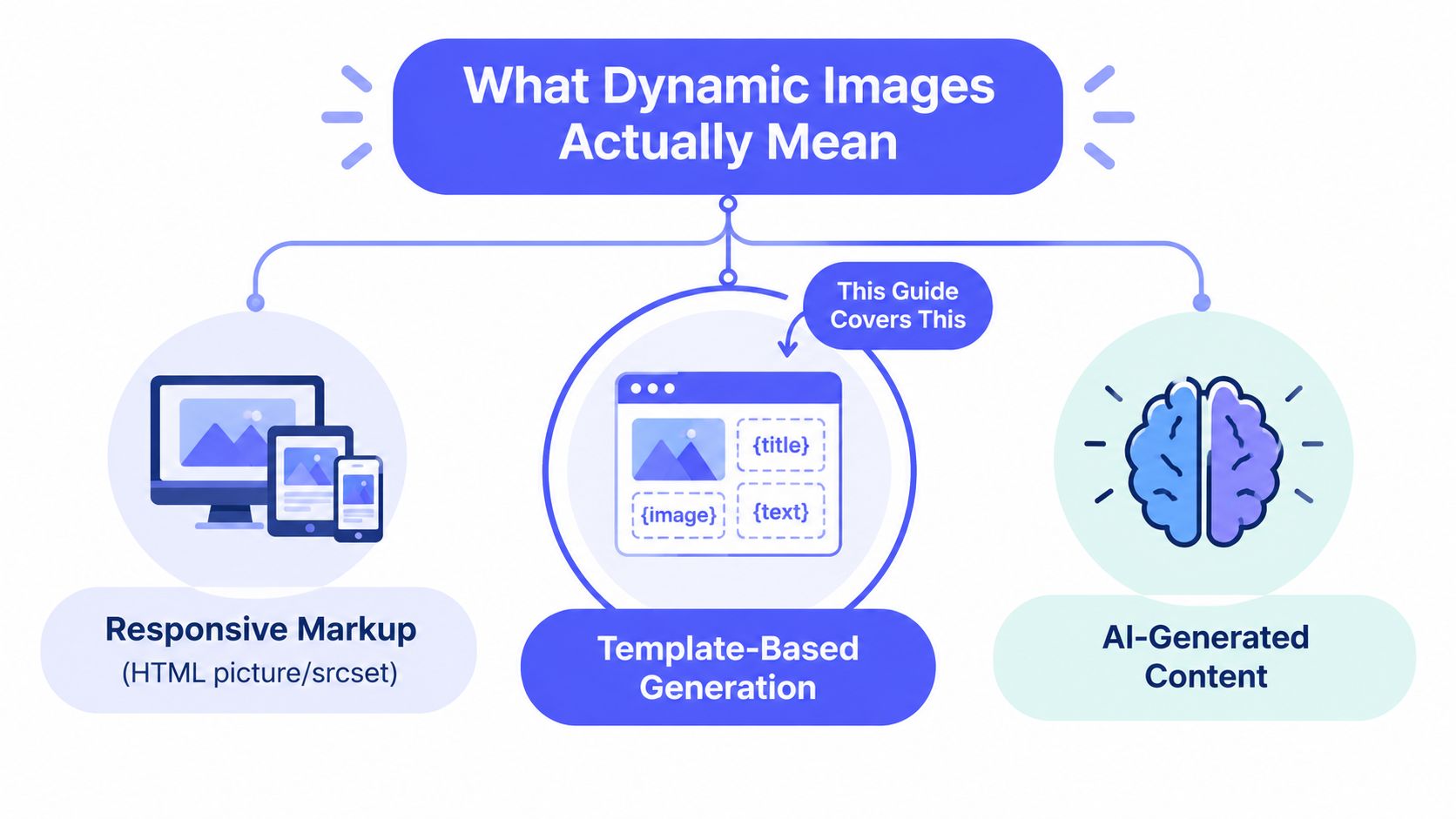
Table of Contents
- What Dynamic Images Actually Mean
- The Template Plus Variables Plus Data Model
- Real-World Use Cases Worth Building
- Technical Approaches Compared
- Implementation Patterns for Developers and Non-Coders
- Performance, Accessibility and SEO Considerations
- Best Practices Before You Ship
- Choosing the Right Approach for Your Team
What Dynamic Images Actually Mean
The three meanings people mix up
Responsive markup is the browser choosing between image files with
<picture> and srcset. That’s a front-end delivery problem, not a rendering
system. If the team needs that path, a responsive image tool belongs in the
stack, not a template renderer.
AI-generated images are a different category again, where a prompt or reference image goes into a model and a new image comes out. That belongs with generative media tools, not with systems that need deterministic layouts, branded certificates, or repeatable OG cards. The important part is that the output isn’t filled from structured fields in a stable template.
The meaning this guide uses
The useful production meaning is template-driven rendering. A designer or developer builds one layout, names the changing parts, then a render request swaps in data and returns a finished asset. That’s what powers personalized email graphics, Open Graph cards, certificates, badges, and vouchers without hand-editing each file.
The long history of this format helps explain why it stuck. GIF was released by CompuServe on June 15, 1987, animation arrived with GIF89a in 1989, and browser behavior later helped make looping familiar on the web, while GIPHY’s 2016 reporting showed just how far moving imagery had spread online (gift history, GIPHY usage history). That doesn’t mean every modern workflow should use GIF, but it does show why people reached for dynamic visuals long before “render pipeline” became a normal phrase.
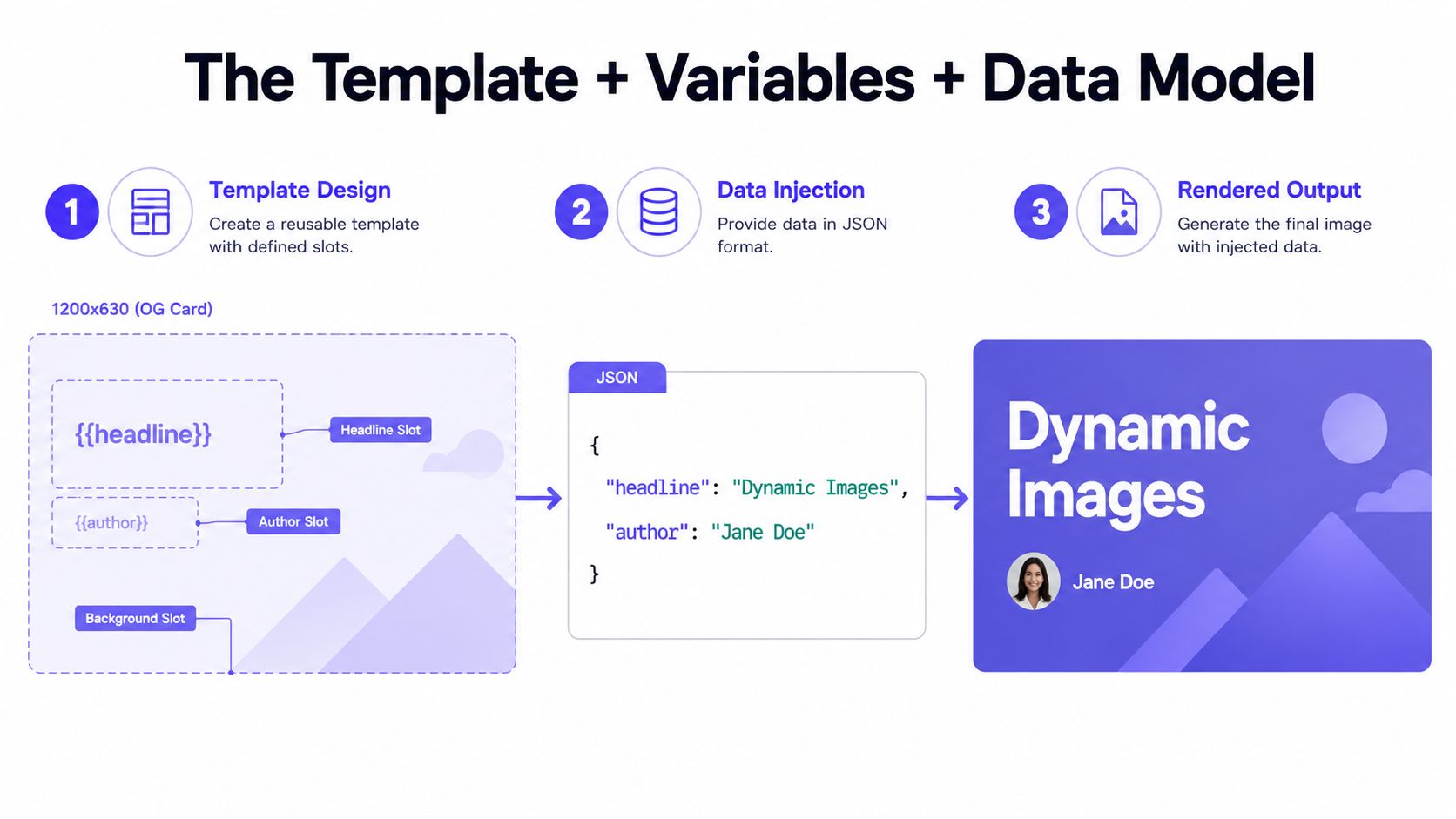
A clean way to think about it is simple. A template plus variables plus data equals one design rendered many ways. Everything else, delivery format, caching, validation, and preview behavior, hangs off that one idea.
The Template Plus Variables Plus Data Model
A concrete example beats a diagram
Take a 1200x630 OG card. The layout sits on the server once, with a headline slot, an author slot, a logo, and a background. The design doesn’t change every time someone asks for a render, only the values do.
The variables are named placeholders with types. A headline can be a string, an
author can be a string, and a background can be a hex color or a preset name. A
single render might receive data like { "headline": "How we shipped X", "author": "Maya", "bg": "#0F172A" }, then map each field into the template.
What happens at render time
The caller sends the template ID, the data object, and the output format. The server returns either raw image bytes or a hosted URL with the rendered result. Those are different integration shapes, and the choice matters.
Bytes fit one-off responses, direct downloads, and places where the caller wants
to handle storage itself. A URL fits <meta property="og:image">, email
clients, and systems that just need a reference they can embed. A stable render
pipeline should also behave idempotently, so the same inputs can be replayed
safely without changing the visual output.
Practical rule: if the data is stable and the layout is stable, the render should be stable too. If the same inputs produce different pixels, debugging gets painful fast.
The WebP format shows why delivery matters. Google documents that animated WebP supports full 24-bit color, 8-bit alpha, and can use lossy or lossless compression, while typically producing smaller files than GIF and decoding faster in many cases (Google WebP FAQ). For team workflows that need crisp transparency and less payload overhead, that difference is not theoretical.
Zandovi’s dynamic OG image guide and its hosted URL guide reflect this exact contract, template in, data in, bytes or URL out. That is the shape to keep in your head.
Real-World Use Cases Worth Building
Social cards, emails, and certificates each have different triggers
Open Graph images usually fire on page publish or on a request when a
preview bot hits the page. The variable set is small, often title, author,
category, and a brand color. The deliverable is usually a 1200x630 PNG or
WebP referenced from <meta property="og:image">, because link previews need
a stable share image.
Personalized email graphics work differently. A campaign send or segment update
triggers the render, and the variables can include first name, plan tier, and
CTA label. The deliverable is usually a hosted URL inserted into <img src>, because email clients do better with a simple asset reference than with
inline generation.
Certificates and completion badges are more operational. A course completion webhook triggers the render, the variables include recipient name, course title, date, and certificate ID, and the output is a printable PDF plus a verification URL. That pairing matters because a certificate often needs both a presentation layer and a way to prove authenticity later.
Tickets and vouchers add another branch. An order or RSVP trigger fills attendee name, seat, event date, and a QR payload. The deliverable is usually a PNG and, in some systems, an Apple or Google Wallet pass. QR codes and barcodes are useful here because the dynamic element isn’t just decorative, it carries scannable data that must match the record.
Common wins that don’t require a huge build
Dashboards and social quote cards are usually cheaper to adopt because the trigger is simple and the variable set is small. Teams often ship these first because they’re visible, easy to review, and easy to revoke if the design needs a change.
| Use Case | Trigger | Key Variables | Deliverable |
|---|---|---|---|
| Open Graph image | Page publish or request | Title, author, category, hero color | 1200x630 PNG or WebP |
| Personalized email graphic | Campaign send or segment update | First name, plan tier, CTA label | Hosted URL in <img src> |
| Certificate | Course completion webhook | Recipient name, course title, date, certificate ID | Printable PDF plus verification URL |
| Ticket or voucher | Order or RSVP | Attendee name, seat, event date, QR payload | PNG plus wallet pass |
For teams maintaining social templates, the internal template library at Zandovi’s social media templates page is one concrete place this pattern shows up in practice.
Technical Approaches Compared
Three ways teams build the same outcome
A server-side template API keeps the rendering logic behind an HTTP boundary. The upside is predictable output, clean scaling, and no browser runtime to babysit. The downside is vendor lock-in risk and the need to trust the provider’s template model, font handling, and storage behavior.
A headless-browser renderer uses a real browser to render HTML and capture the result. That helps when the design must match an existing web page pixel for pixel, but it also brings cold starts, font loading cost, sandboxing concerns, and queue management. Non-Latin scripts and custom fonts can work well, but only if the team is disciplined about packaging and preload behavior.
An HTML-to-image library runs inside app code and converts markup into an image. That can be convenient for prototypes, but layout drift and font mismatch show up quickly when the CSS environment diverges from the browser the design was tested in. It also shifts more rendering responsibility into the application itself.
Rule of thumb: pick the simplest system that can keep layout stable under load. Fancy render stacks tend to fail at the seams, not at the happy path.
| Criterion | Server-side template API | Headless-browser renderer | HTML-to-image library |
|---|---|---|---|
| Setup cost | Lower once the API contract is clear | Higher because of browser runtime and queueing | Lowest to start, higher later when drift appears |
| Pixel determinism | Strong for template-based layouts | Strong if the browser environment is controlled | Weaker when CSS support or fonts drift |
| Scaling model | API requests and caching | Workers, queues, browser pools | App process load and memory pressure |
| Hosting footprint | Small on the caller side | Larger because of browser infrastructure | Small at first, then grows with usage |
| Fonts and scripts | Good if the service supports them well | Good with careful bundling | Varies, often fragile across environments |
| Best fit | OG cards, certificates, vouchers, batch jobs | Pixel-exact page captures | Quick demos, simple internal tools |
A hosted API with a real editor, such as Zandovi’s comparison page against Bannerbear, sits in that first column. The main question isn’t whether one approach is universally superior. It’s which failure mode the team can tolerate.
Implementation Patterns for Developers and Non-Coders
Single render first, because the contract is easiest there
A typical REST request looks like this in shape, even when the exact field names vary by vendor:
POST /api/render
{
  "templateId": "cert_123",
  "format": "pdf",
  "data": {
    "recipientName": "Jane Doe",
    "courseTitle": "Secure API Design",
    "date": "2026-08-29",
    "certificateId": "CERT-481"
  },
  "assets": {
    "logo": "https://cdn.example.com/logo.png",
    "signature": "https://cdn.example.com/signature.png"
  }
}
The response is either bytes or a link:
{
  "renderId": "r_789",
  "status": "done",
  "url": "https://cdn.example.com/renders/cert_123/r_789.pdf"
}
That split matters for integration. Bytes are better when a backend wants to store the file itself. A URL is better when the caller only needs a sharable asset or a preview target.
Batch jobs and no-code CSV flows solve different problems
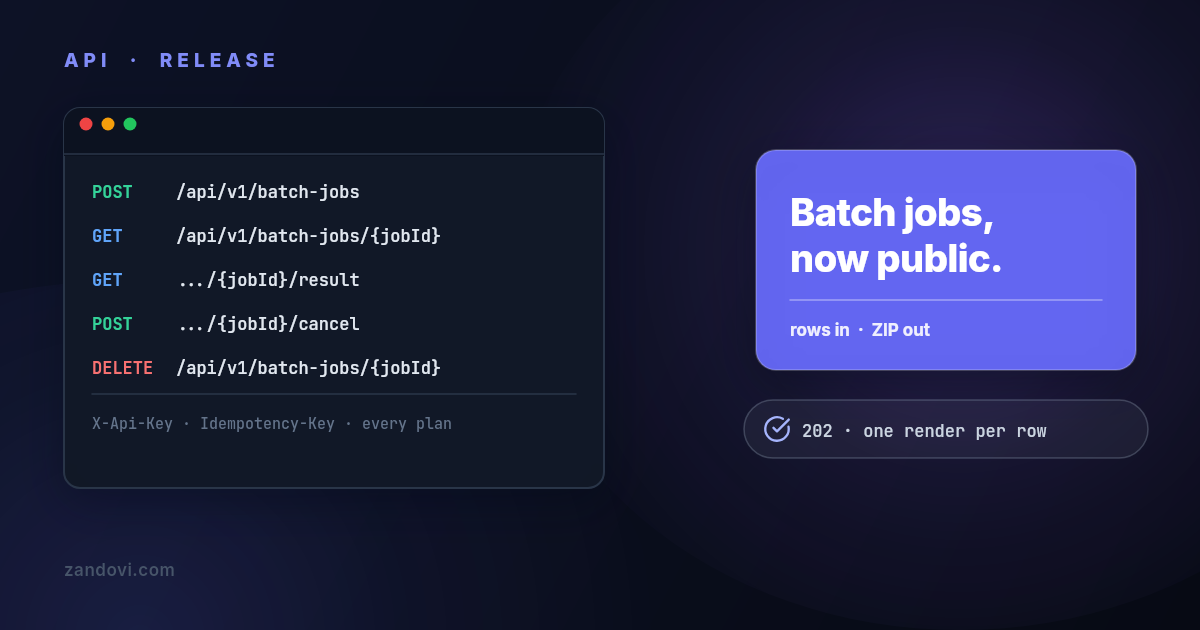
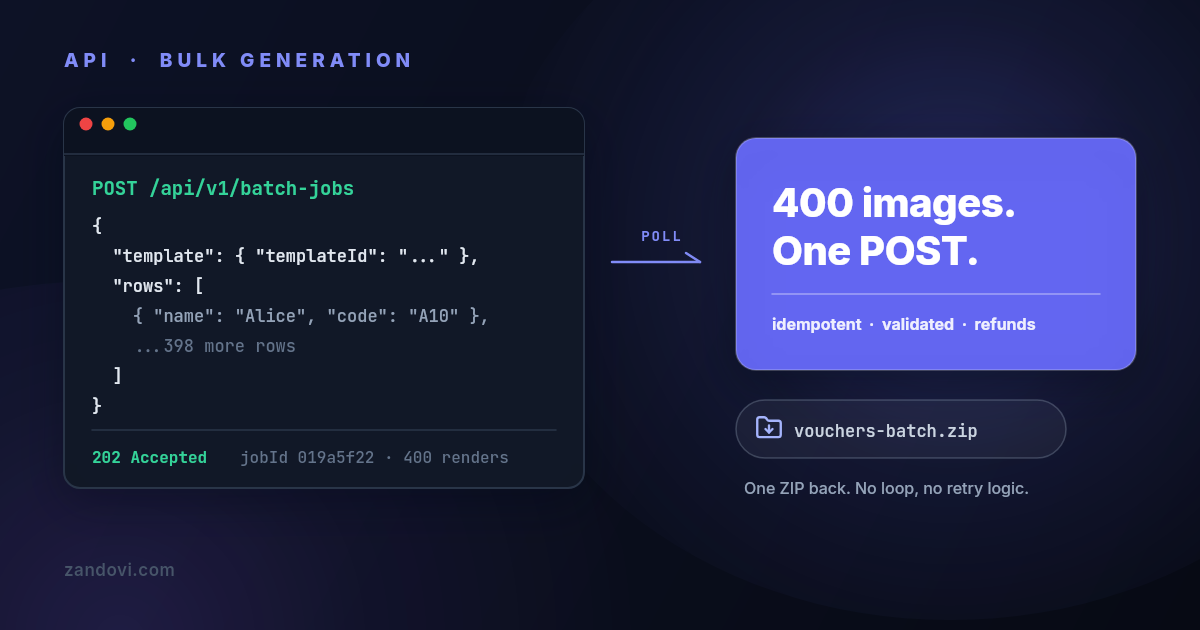
Batch jobs are for volume. The client posts a list of rows, gets back a job ID, then polls status or waits for a completion callback. That fits event badges, voucher runs, and bulk certificate work where the data already lives in a spreadsheet or database export.
A no-code CSV flow is simpler for operations teams. They upload a CSV, map columns to template variables, preview a few records, fix broken fields, then export the final images or PDFs. The hard part is not the upload, it’s catching invalid rows before the whole campaign ships.
| Pattern | Input | Output | Best for |
|---|---|---|---|
| Single render | One template ID plus one data object | Image bytes or hosted URL | OG image, one-off certificate, preview |
| Batch job | One template plus many rows | ZIP, job ID, callback result | Bulk certificates, tickets, campaigns |
| CSV upload in app | Spreadsheet columns mapped to variables | Preview and export | Ops teams, marketers, event organizers |
A server-side template system like Zandovi can also support both paths, because it reads templates and renders them, and it supports batch generation through CSV or API rows. That makes the workflow usable for both engineers and non-coders without changing the underlying rendering model.
Performance, Accessibility and SEO Considerations
Format choice changes cost more than teams expect
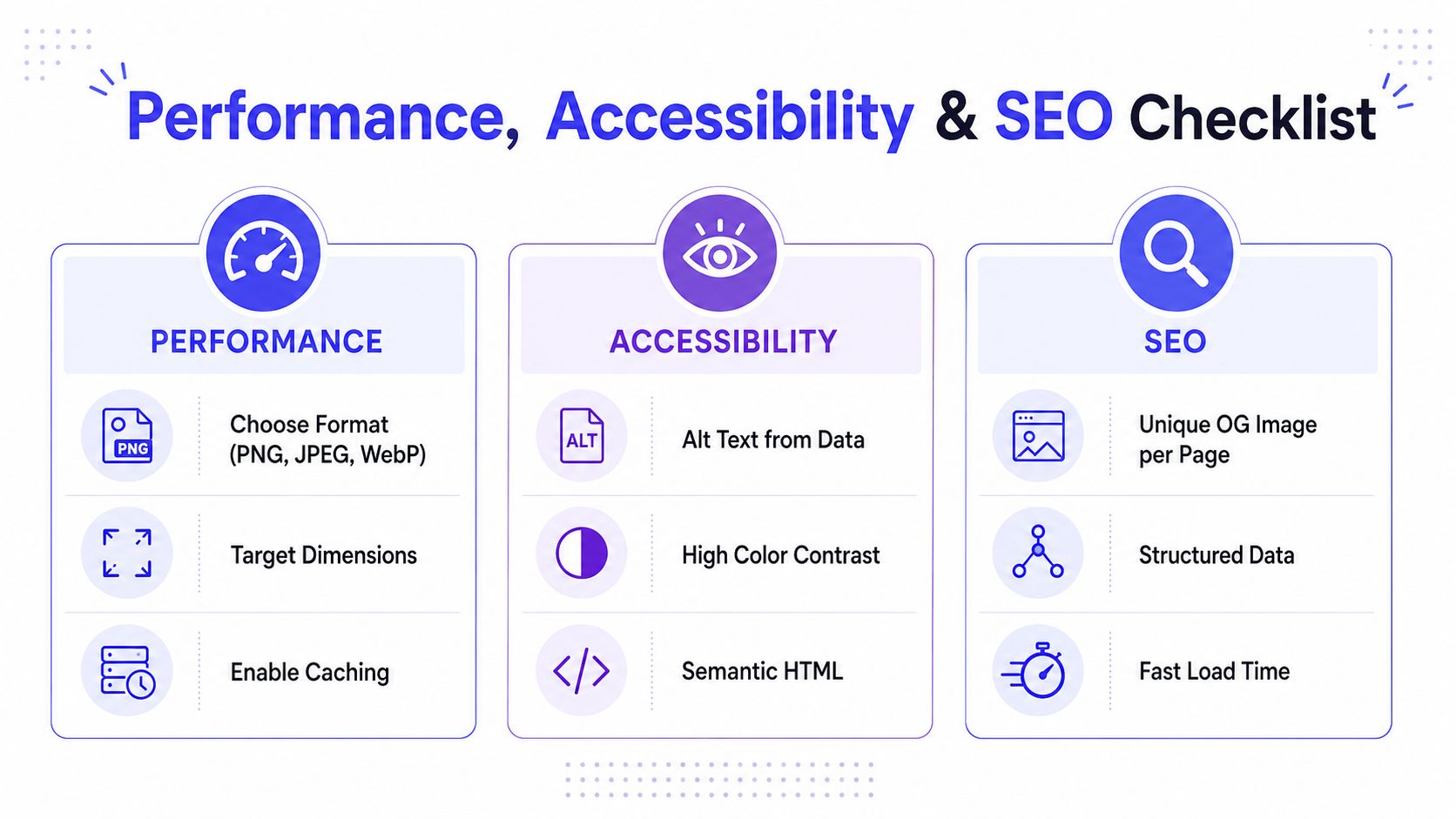
PNG works well when the image needs crisp text and transparency. JPEG is the obvious fit for photo-heavy backgrounds. WebP often fits web delivery better when size matters, and PDF belongs in print workflows where output fidelity matters more than browser preview speed.
Dimensions matter too. A card built at the exact target size avoids an extra resize step later, which keeps text and logos cleaner. Dynamic image systems also benefit from caching headers and clear CDN edge keys, because preview bots and repeat visitors should not force a fresh render every time.
Accessibility and SEO need their own payloads
Social cards, certificates, and tickets should carry informative alt text when they’re embedded as images, or an adjacent accessible data payload when the image is only one part of the experience. Structured data belongs where it applies, because the rendered image alone doesn’t tell assistive tech what the asset means.
For SEO, dynamic OG images affect link previews first and ranking signals only indirectly. Cached previews can go stale, so cache control and stale-while-revalidate behavior matter when the page title or hero changes. If the image sits on the critical path for page rendering, it can also hurt LCP, so the visual asset should stay off the main page render path unless there’s a strong reason otherwise.
The safest pattern is boring: serve the right format, at the right size, with a stable URL, then let caches do their job.
The Zandovi Open Graph template page is an example of how teams usually separate share-card output from the main page render flow. That separation keeps previews reliable without making every page pay for image generation.
Best Practices Before You Ship
Treat rendering like production infrastructure
Every render request should carry an idempotency key. If retries happen, the system should return the same result instead of creating duplicate vouchers, duplicate OG files, or duplicate certificate jobs. Long-running jobs should use callbacks instead of endless polling, because polling creates noisy traffic and makes failure handling messy.
Retention deserves a policy before launch. Certificates and vouchers often contain personal data, so generated assets shouldn’t live forever by accident. If an asset can be regenerated, the storage window should be explicit and deletion should be part of the workflow, not an afterthought.
Handle the failures on purpose
Three failure modes show up often. A render timeout should fall back to a cached default. Missing upstream data should substitute a placeholder variable instead of throwing a half-rendered file. An asset 422 should retry with backoff before the system gives up, because malformed payloads and transient fetch issues don’t deserve the same response.
Template governance matters too. A small set of owners should control versioning and approvals, especially when marketing can ship changes at odd hours. Log every render with template ID, variable hash, and duration so drift can be diagnosed later without guessing.
| Practice | Failure mode it prevents |
|---|---|
| Idempotency keys | Duplicate renders after retries |
| Webhook callbacks | Endless polling and missed job completion |
| Retention policy | Unbounded exposure of personal data |
| Default fallback asset | User-visible timeout failures |
| Placeholder substitution | Broken output from missing data |
| Backoff on 422 | Repeated failure loops on bad assets |
| Template ownership and versioning | Unreviewed layout changes |
| Render logging | Impossible debugging after template drift |
The right operating model is simple enough to explain at a glance and strict enough to survive a busy launch day. If the team can’t say who owns a template, how retries behave, and when outputs expire, the pipeline isn’t ready.
Choosing the Right Approach for Your Team
A hosted template API makes sense when the team is small, the design team already works in a browser editor, and the goal is to ship OG images, social cards, or certificates quickly without owning Chromium or a render farm. It also fits teams that want a clean template contract and don’t want to debug browser font issues at midnight.
A headless-browser renderer fits when the brand needs near-perfect parity with an existing web design system, the company already runs Node or Python services, and the team can absorb queueing, font caching, and sandbox work. It’s a heavier path, but sometimes that’s the right trade when pixel fidelity is the constraint.
If a static image is enough, skip the whole pipeline. That’s the cheapest answer when the content rarely changes or the benefit of personalization is too small to justify the complexity.
When comparing vendors, check the boring things first. Ask whether the API returns a hosted URL with cache headers, whether QR codes and verification dates are supported for tickets and certificates, what the retention window is, whether assets can be deleted on request, whether non-developers can safely update templates, and whether pricing is per render or per template. A 30-minute proof of concept usually beats a week of comparison shopping.
If the next project is a dynamic OG image, a bulk certificate export, or a voucher system that needs reliable rendering, the right move is to build one template and test one real data row today. Start with a narrow use case, verify the delivery shape, then expand only after the render path survives retries, bad data, and a preview bot hitting it twice.