Dynamic OG Images With an API, Without Running a Headless Browser
- 04 Aug, 2026
Every content site eventually needs the same thing: a link preview image per page, with the page’s own title on it. Share a post on X, LinkedIn or Slack and the card that appears is doing real work. It’s the difference between a link that gets clicked and a link that scrolls past.
Making one by hand is fine. Making four hundred is not. So the question becomes how you generate them, and the answer you find online is usually one of three, each with a cost that isn’t obvious until you’re maintaining it.
The three usual approaches
Hand-made in a design tool. Highest quality, zero automation. Works until you publish weekly, at which point it becomes a recurring chore nobody wants and eventually gets skipped.
A headless browser. Write the card as HTML and CSS, load it in Puppeteer or Playwright, screenshot the viewport. This works. It’s how a lot of production systems do it, and it’s genuinely the right answer if you already run a browser farm for other reasons. What you’re signing up for is a Chromium binary in your deploy artifact, cold starts measured in seconds, memory limits that bite at the worst time, and a font-loading bug on the day you switch base images. The rendering isn’t the hard part. Operating the thing that renders is.
A JSX-to-SVG renderer like Satori (what @vercel/og uses under the hood).
Much lighter than a browser and a genuinely good fit for simple cards. The
trade-off is that you’re writing your design in a constrained subset of CSS, in
code, and every visual change is a code change and a deploy. If a non-engineer
ever wants to adjust the layout, they can’t.
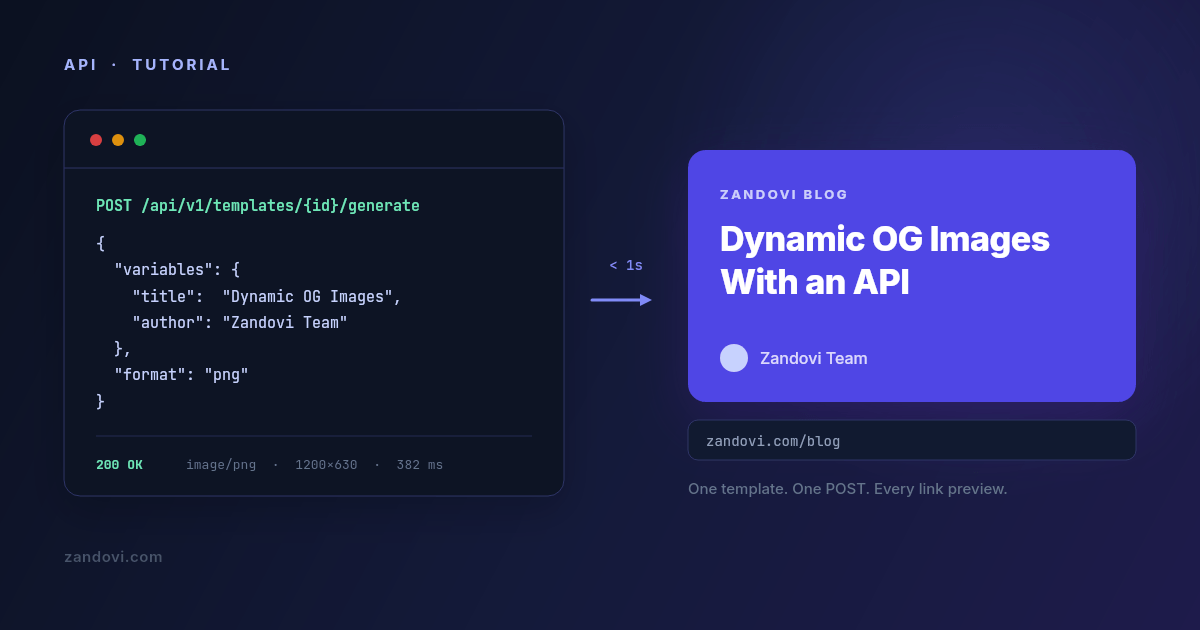
There’s a fourth option that gets less attention: treat the card as a designed template with named variables, and render it over HTTP. The design lives in a visual editor, the code sends values. That’s the approach this post walks through, using Zandovi’s API.
What the flow looks like
- Design the card once in the editor, marking the parts that change (title, author, category) as variables.
- Send a
POSTwith those values. - Get PNG bytes back.
You don’t run a browser, there’s no build step, and changing the design doesn’t need a redeploy. Here’s the whole request:
curl -X POST https://app.zandovi.com/api/v1/templates/$TEMPLATE_ID/generate \
  -H "X-Api-Key: $ZANDOVI_API_KEY" \
  -H "Content-Type: application/json" \
  -o og.png \
  -d '{
    "variables": {
      "title": "Dynamic OG Images With an API",
      "author": "Zandovi Team",
      "category": "Engineering"
    },
    "format": "png"
  }'
That’s it. The response body is the image itself: raw bytes, Content-Type: image/png, no JSON wrapper to unpack and no hosted URL to fetch in a second
round trip.
Step 1: design the card
Create a canvas at 1200×630, the size every platform expects for a link preview. Lay out the background, any logo or gradient, and the text blocks.
Then mark the text that changes as a variable. A variable has a name (the key you’ll send in JSON), a required flag, and optionally a default value and a list of allowed values. For an OG card you’ll typically want:
| Variable | Element | Notes |
|---|---|---|
title | text | The one that matters. Turn on auto-fit so long titles shrink instead of overflowing. |
author | text | Give it a sensible default so a missing value doesn’t render an empty box. |
category | text | Optional. Set its Allowed values to restrict it to your real categories. |
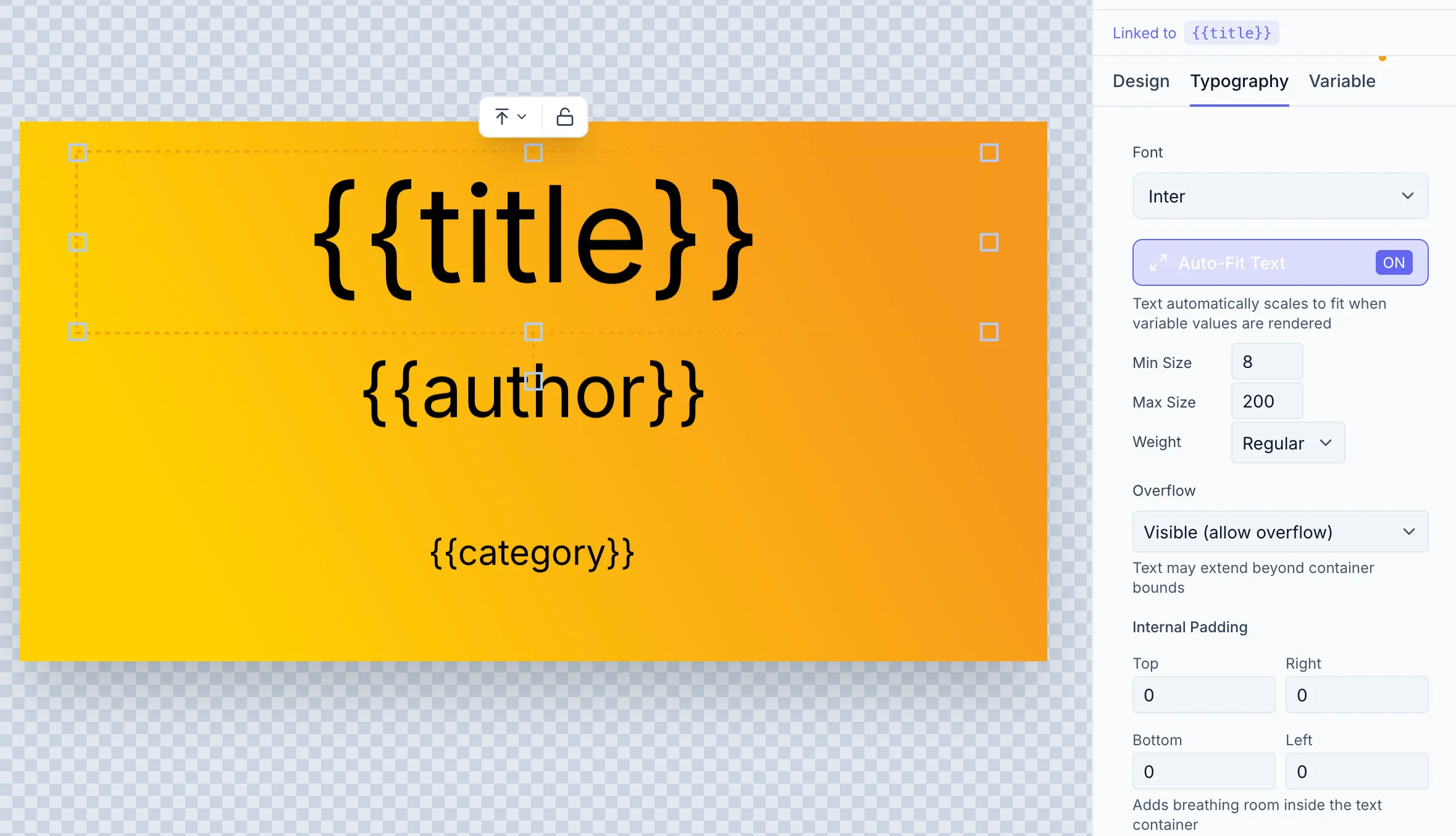
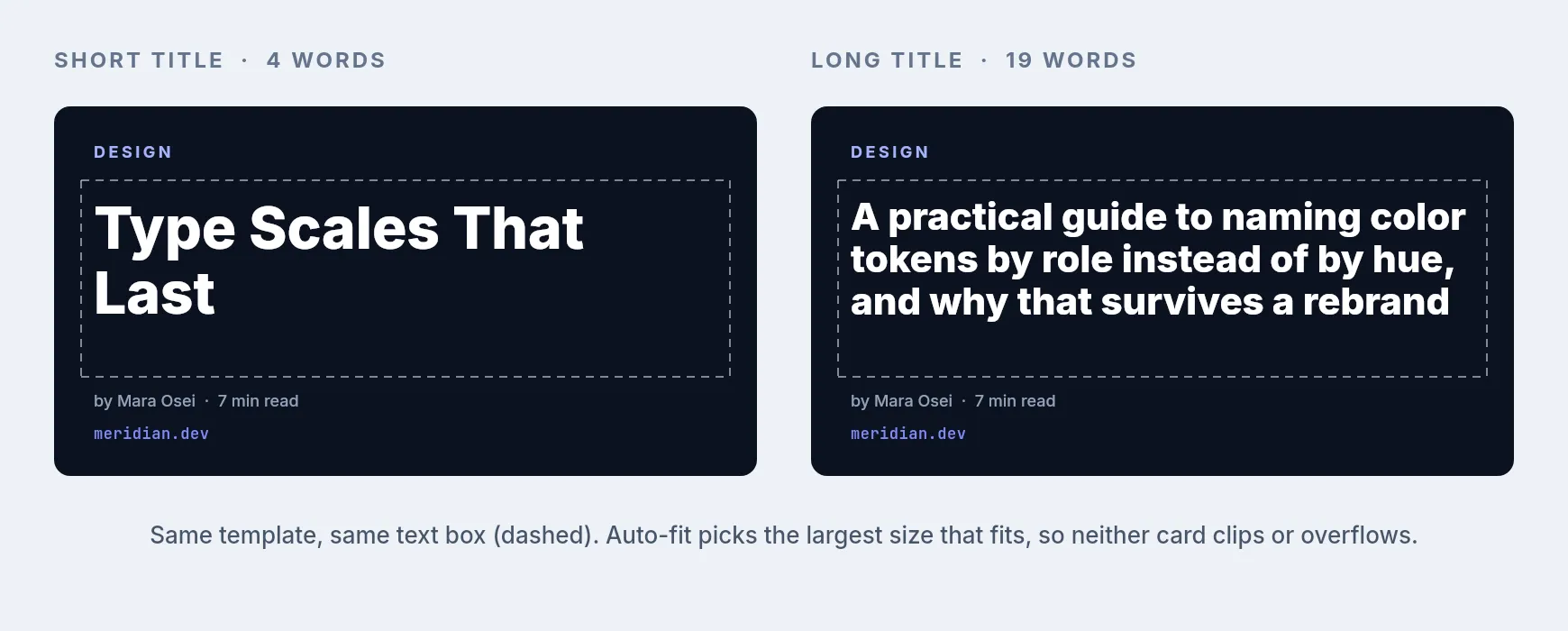
The auto-fit setting deserves a moment. Blog titles vary wildly in length, and the single most common failure mode for generated cards is a long title running off the canvas or being silently clipped. Auto-fit takes a minimum and maximum font size and picks the largest that fits the box, so a six-word title renders big and a twenty-word title renders smaller but complete.
Step 2: get an API key
In the app, open Settings → API Keys, name a key (og-images is a fine
name) and create it. The key is shown exactly once, so copy it straight into
your secret store. Keys are scoped to a workspace and inherit that workspace’s
quota.
export ZANDOVI_API_KEY="your_api_key"Never put this in client-side code. Anyone holding the key can spend your renders.
Step 3: ask the template what it accepts
Before wiring anything up, have the template tell you its own schema. This
avoids the classic bug where your code sends postTitle and the template
expects title, and you find out from a support ticket three weeks later:
curl https://app.zandovi.com/api/v1/templates/$TEMPLATE_ID \
  -H "X-Api-Key: $ZANDOVI_API_KEY"
The response includes a variables array with each variable’s name, type,
whether it’s required, and its validation rules. Read endpoints like this one
don’t consume render quota, so you can call it freely, including from a test
that asserts your code and your template still agree.
That last point is worth doing. A one-line test that fetches the schema and compares the variable names against the object your code builds will catch a designer renaming a field long before it reaches production.
Step 4: render from your app
Here’s a small helper in TypeScript:
type OgFields = {
  title: string;
  author: string;
  category?: string;
};

export async function renderOgImage(fields: OgFields): Promise<Buffer> {
  const res = await fetch(
    `https://app.zandovi.com/api/v1/templates/${process.env.OG_TEMPLATE_ID}/generate`,
    {
      method: "POST",
      headers: {
        "X-Api-Key": process.env.ZANDOVI_API_KEY!,
        "Content-Type": "application/json",
      },
      body: JSON.stringify({
        variables: fields,
        format: "png",
      }),
    },
  );

  if (!res.ok) {
    // Errors are RFC 9457 problem+json
    const problem = await res.json();
    throw new Error(
      `OG render failed (${problem.status} ${problem.code}): ${problem.detail} ` +
        `[requestId=${problem.requestId}]`,
    );
  }

  return Buffer.from(await res.arrayBuffer());
}
Two details in there are load-bearing.
The first is that there’s no server-side deduplication, so calling twice costs
twice. The API has no idempotency key. Every POST to the generate endpoint is
a fresh render against your quota, even if the variables are byte-identical to
the last one. That makes “don’t call it twice” your job, not the server’s.
Derive a stable key from the content, like the post slug or a hash of the
fields, check your own cache or storage first, and only call the API on a miss.
A retried build or a double-fired webhook is otherwise a second render.
The second is requestId. Every error body carries one, and every successful
response carries an X-Request-Id header. Put it in your logs. It’s the single
piece of information that turns “images sometimes fail” into a traceable
incident.
Where to call this from
The tempting design is a route handler that renders on demand:
/og/[slug].png calls the API and streams the result. Don’t do that without a
cache in front of it. Crawlers, preview bots and link unfurlers hit OG images
repeatedly and unpredictably, and each uncached hit is a render off your quota.
Two patterns that hold up:
Render at publish time. When a post is created or updated, render the card
once, upload the bytes to your object storage or CDN, and store the resulting
URL on the post record. generateMetadata then just returns a string. One
render per post per edit, and serving costs you nothing:
export async function generateMetadata({ params }): Promise<Metadata> {
  const post = await getPost(params.slug);
  return {
    title: post.title,
    openGraph: {
      images: [{ url: post.ogImageUrl, width: 1200, height: 630 }],
    },
  };
}
Render on demand, then cache hard. If you’d rather not add a publish hook,
keep the route handler but put your CDN in front of it with a long
Cache-Control, and write the rendered bytes to storage on the first miss so the
second miss never reaches the API. Because nothing deduplicates on the server
side, every cache miss is a paid render. That’s exactly why the publish-time
pattern above is the safer default.
Handling the errors that actually happen
Three you should code for.
A 400 with code: VALIDATION_ERROR means a required variable is missing or a
value failed the template’s validation. The details object maps each offending
variable name to what was wrong with it. That’s a bug in your code rather than a
transient failure, so don’t retry it.
A 429 with code: RATE_LIMIT_EXCEEDED is short-term throttling. Back off and
retry, honoring Retry-After.
A 429 with code: QUOTA_EXCEEDED means you’re out of renders for the month,
and retrying won’t help until the reset. Branch on the code field rather than
the status alone, or your backoff loop will spin pointlessly for two weeks.
Every successful render also returns X-Quota-Remaining and X-Quota-Reset.
Emitting X-Quota-Remaining as a gauge metric costs you nothing and means you
find out you’re running low from a dashboard rather than from broken link
previews.
Failed renders are refunded automatically, so a 502 from the rendering service
doesn’t quietly cost you anything.
What it costs
For OG images specifically, the volume is low: one render per post, plus one per edit. A site publishing weekly generates maybe a hundred renders a year. That sits inside the free tier (100 renders a month, no card) with room to spare.
The volume argument only shows up when OG images are one job among several. If the same account is also generating certificates, email graphics or social variants, you’re looking at the paid tiers: $29/month for 5,000 renders, and manual exports from the editor don’t count against that on any paid plan.
When this is the wrong tool
Be honest about the fit.
If the card has to reflect live data at request time, like a leaderboard position or a current price, this isn’t it. Caching is what makes the approach cheap, and live data is what breaks caching. A JSX renderer running in your own edge function fits better.
If your card is genuinely simple, a title on a solid background and nothing
else, @vercel/og will do it in about thirty lines and one dependency. Reach
for a template service when the design has enough going on that you want it
maintained in an editor rather than in JSX.
And if you already operate a browser farm, adding an external dependency to save a screenshot call isn’t obviously a win.
Where this approach earns its keep is the case in between: a card that’s designed rather than laid out in code, that someone non-technical might want to restyle next quarter, and that you’d rather not redeploy to change.
Want to try it? The API quickstart goes from key to first rendered PNG in a few minutes, and the free plan includes 100 renders a month with no card required.