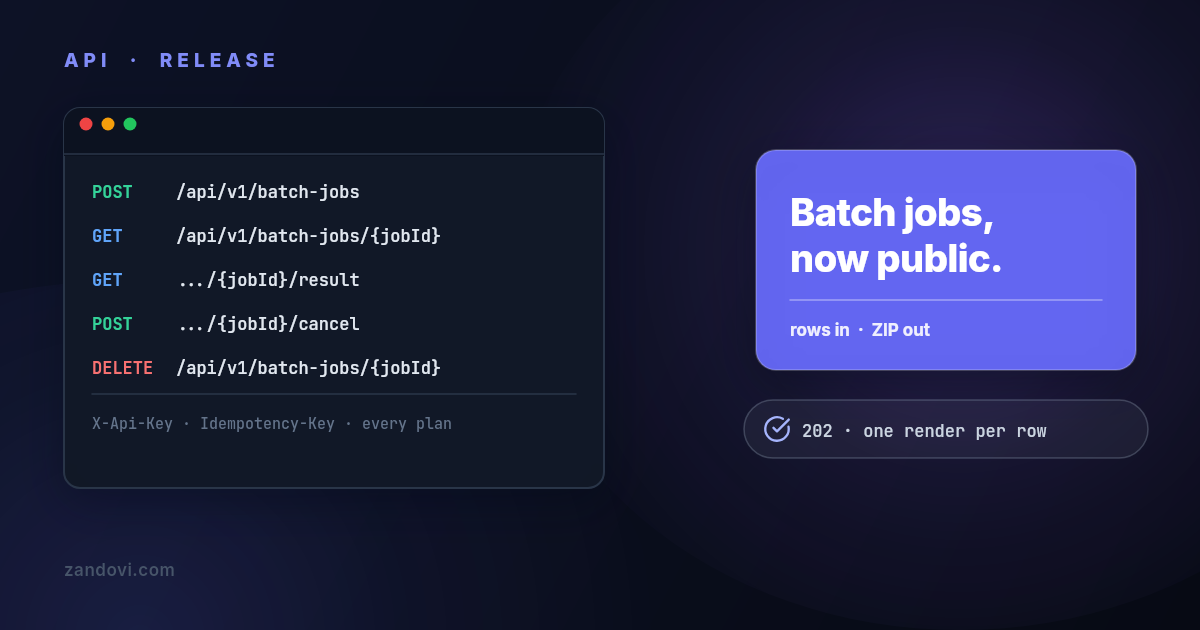
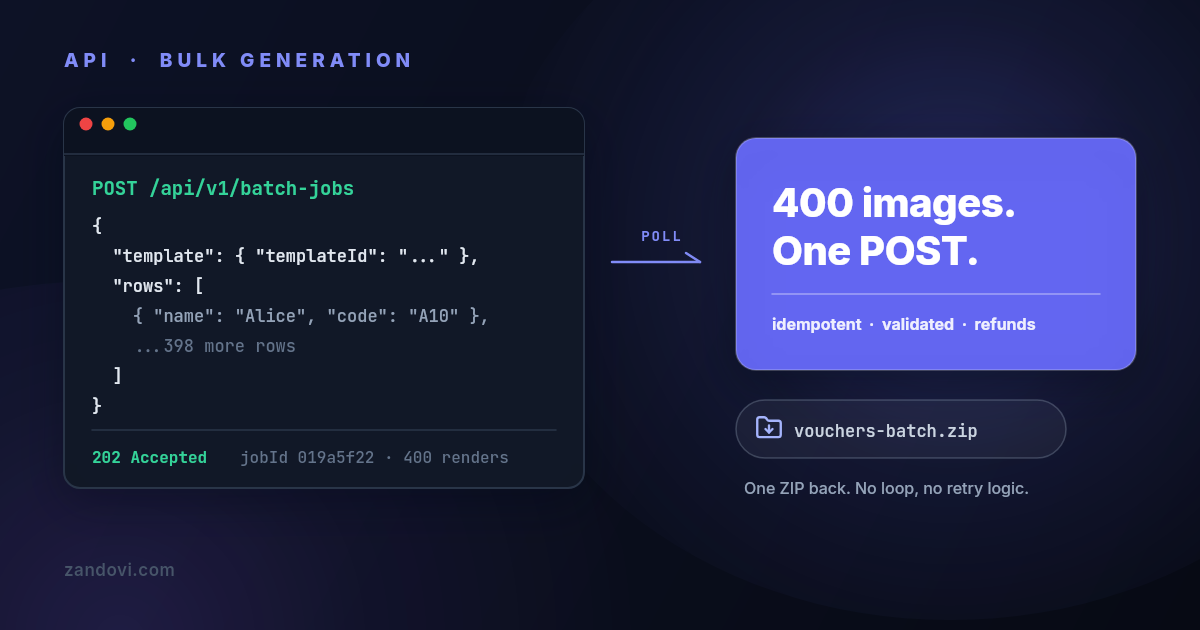
Document Automation Tools: A Practical Guide for Teams
- 24 Aug, 2026

AI-native generation isn’t automatically the best answer for document automation. A model can produce fluent language while still creating an output that is difficult to reproduce, explain, approve, or correct. For invoices, certificates, contracts, badges, and other business documents, reliability often matters more than semantic flexibility.
The market’s direction supports the importance of the category. The global document automation software market was estimated at USD 7.86 billion in 2024 and is projected to reach USD 28.04 billion by 2033, a 15.18% CAGR, according to document automation market estimates and trend analysis. Adoption is expanding across legal, finance, HR, marketing, and operations, but production success depends less on choosing the most advanced model and more on controlling data, rendering, retries, permissions, and document history.
Table of Contents
- Why Most Document Automation Advice Gets It Wrong
- How Document Automation Tools Actually Work
- Real-World Use Cases That Drive Adoption
- Deterministic Templates Versus AI-Native Generation
- Integration Patterns for Production Reliability
- Performance and Best Practices for Scale
- Your Action Plan for Implementing Document Automation
Why Most Document Automation Advice Gets It Wrong
Most comparisons begin with extraction accuracy, natural-language generation, or a list of AI features. Those capabilities matter when a system must interpret messy documents or draft flexible content. They don’t answer the harder production questions: Will the same input create the same output? Can the team prove which template and data produced it? What happens when a callback arrives twice?
A document pipeline fails in mundane ways. A webhook retry can trigger duplicate documents, duplicate emails, or duplicate charges. A rendering stack built around a headless browser can become fragile when fonts, browser versions, page breaks, or memory limits change. A marketing team can update a logo in one source file while an operations workflow continues using an older template. None of these failures requires a weak AI model.
Practical rule: Treat generated documents as production artifacts, not disposable text.
The historical development of OCR helps explain why this distinction matters. OCR existed in various forms from the 1950s, then became commercially viable for business use in the 1980s and 1990s as scanning and computing improved, according to the history of document automation. That progression converted paper-heavy processes into searchable, digital workflows. Modern intelligent document processing now extends beyond recognition, with the market estimated at USD 2.30 billion in 2024 and projected to reach USD 12.35 billion by 2030, at a 33.1% CAGR, according to the same source.
The reliability gap
AI-native tools are valuable for interpreting unstructured input, summarizing text, suggesting clauses, and extracting fields whose location or wording varies. But a generated PDF often needs stricter guarantees than a draft paragraph. A regulated form, branded certificate, or print-ready ticket needs fixed placement, approved fonts, predictable pagination, and an audit trail.
A deterministic template system makes a different promise. Given a known template, schema, and payload, it renders a controlled result. That doesn’t eliminate review or testing, but it makes failures easier to reproduce. Teams can inspect the input, identify the template version, compare the output, and rerun the job without guessing what an invisible model decided.
The strongest architecture often separates the jobs. AI can interpret incoming material and propose structured data. A deterministic renderer can then create the final asset. This division preserves flexibility at the boundary while keeping the business-critical output governed, repeatable, and testable.
How Document Automation Tools Actually Work
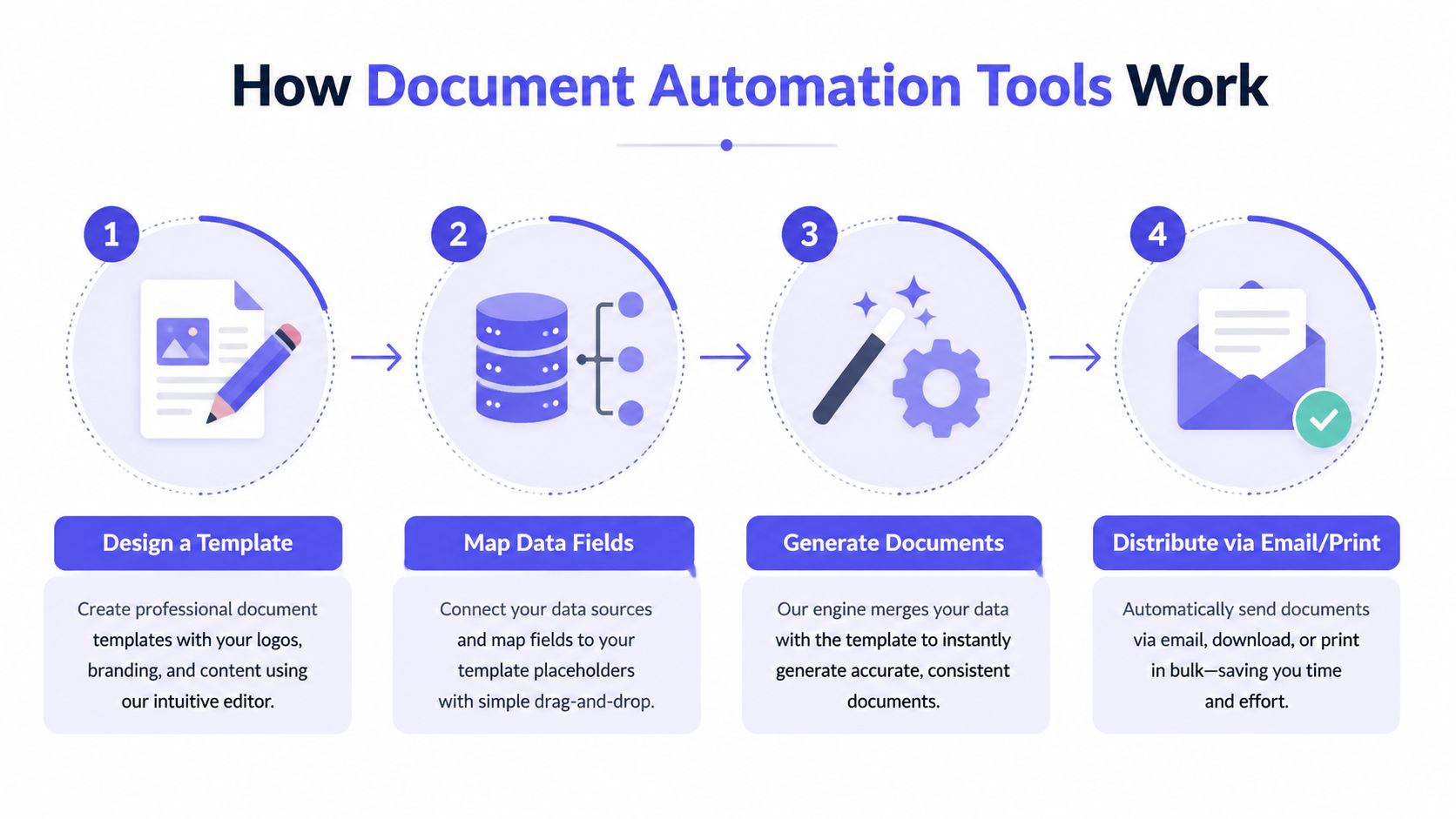
A modern document automation workflow resembles mail merge on steroids. Instead of placing a name into a word-processing file, a team designs a reusable visual template, exposes its variable fields, sends structured data through an API, and receives a finished image or PDF.
Start with the template
A designer creates the layout first. The template can contain fixed elements such as logos, colors, typography, backgrounds, legal text, and spacing. Variable fields then mark the parts that change, including names, dates, prices, product images, QR codes, barcodes, and membership identifiers.
This separation gives non-designers a safer operating boundary. An operations user can update a recipient name or price without moving the logo or changing the approved type scale. Engineering teams also gain a stable rendering target instead of assembling layout rules inside application code.
Bind structured data
The application sends data that matches the template’s variables. A JSON payload works well for an individual render, while a CSV file suits a batch containing many recipients or records. Conditional fields can control whether an element appears, but the underlying contract should remain explicit. A missing value should produce a clear validation error or an intentional fallback, not a malformed document that reaches a customer.
Schema introspection is especially useful here. If a tool exposes the
variables required by a template before data is submitted, an integration can
validate field names and types before starting a render. That catches mismatches
such as customer_name versus customerName during development rather than
after a batch has already failed.
Render and distribute
The rendering service combines the template and payload into a final output. Server-side rendering keeps the layout engine in a controlled environment, while client-side rendering makes the browser, device, installed fonts, and runtime part of the production system. For automated business documents, that client dependency can create unnecessary variation.
The output may be streamed directly, placed at a hosted URL with explicit expiry, or delivered through a completion callback. Distribution can then happen through email, print, storage, an e-signature workflow, or another internal system. The important design choice is to preserve the job identity and source data alongside the output, so later operators can understand what happened.
Real-World Use Cases That Drive Adoption
The strongest use cases have three characteristics: the layout is known, the data changes repeatedly, and manual assembly creates a bottleneck. That combination appears in finance, events, retail, membership operations, and marketing.

Invoices and contracts
A finance team may receive billing data from an accounting system and need to produce a consistent invoice for each customer. A template fixes the header, payment instructions, tax labels, and brand treatment, while the payload supplies the customer details, line items, totals, and due date. The resulting PDF can move into email delivery or storage without requiring a designer to open each file.
The same model works for standardized contracts and agreements. Legal or operations teams maintain approved wording in a controlled template, then bind customer, product, term, and signature information from a CRM or intake form. The template shouldn’t replace legal review where judgment is required, but it can remove repetitive copying and reduce the chance that an employee starts from an obsolete file. Teams evaluating invoice workflows can review invoice templates as a practical starting point.
Certificates and event badges
Event organizers often collect attendee data in a spreadsheet, then need badges or certificates that look identical while carrying unique names, roles, organizations, or QR codes. A CSV-driven batch job is a natural fit. The operator uploads or submits the rows, the renderer creates one output per record, and the resulting files can be packaged for printing or digital distribution.
The value isn’t only speed. Brand consistency remains intact when every output uses the same approved template. A late attendee-list change also becomes a data update rather than a redesign exercise. For certificates, a QR code can connect the printed artifact to a verification page without requiring the layout team to edit each file manually.
Retail and membership assets
Retail teams regularly change menus, prices, promotions, and localized graphics. A locked template can bind those values from a spreadsheet or commerce system while preserving the visual hierarchy. The same approach suits gyms, clubs, and membership organizations that need cards, renewal notices, welcome graphics, or personalized social assets.
A marketing workflow might trigger a render from a CRM, automation platform, or form submission. The payload can include a member name, identifier, offer, image, and QR code. Because the final asset comes from a maintained template rather than a prompt, the team gets controlled branding across every variation.
The best first workflow is repetitive, visually stable, and easy to verify.
Deterministic Templates Versus AI-Native Generation
The choice isn’t really between “old templates” and “modern AI.” It’s a choice about where variability belongs. Deterministic systems constrain the final layout and content structure. AI-native systems introduce flexibility where interpretation or composition is the main problem.
A team should begin with the failure it can tolerate. If a draft needs human review and can vary in wording, AI may be appropriate. If a customer receives a document that must match an approved design and be reproducible later, deterministic generation is usually the safer foundation. A curated template library can also help teams test this distinction against real document types.
Decision matrix
| Use Case | Deterministic Templates | AI-Native Generation |
|---|---|---|
| Brand-locked certificates and badges | Strong fit. Fixed layout, typography, and data binding keep outputs consistent. | Riskier. Visual and textual variation may require extra review. |
| Compliance-sensitive PDFs | Strong fit. Teams can version templates and reproduce a known result. | Useful for assistance, but final output needs controls and approval. |
| Invoices and recurring statements | Strong fit. Structured data maps cleanly to stable fields and calculations. | Less suitable when exact placement and repeatability matter. |
| Summaries of unstructured documents | Limited. Requires structured inputs or preprocessing. | Strong fit. Models can interpret and condense varied material. |
| Clause suggestions and draft language | Useful for final assembly after review. | Strong fit for proposing language or identifying relevant sections. |
| Print-ready marketing assets | Strong fit. Resolution, dimensions, and brand rules remain controlled. | Riskier when visual consistency is mandatory. |
| Ambiguous intake documents | Often needs an extraction layer first. | Strong fit for interpretation, subject to confidence checks. |
Why hybrid systems work
AI is often better at understanding than at guaranteeing. It can extract a customer address from an inconsistent source, classify a request, or suggest a clause. The system can then normalize that result into a schema and pass it to a deterministic renderer. Any uncertain field can be routed for verification before document generation.
This architecture also clarifies audit responsibility. The AI step records what it inferred and how a human corrected it. The rendering step records which template version consumed the approved structured data. That separation is easier to test than a single model that both interprets input and invents the final layout.
Research on the category points toward the same governance concern. A document automation industry analysis describes workflow, verification, and structured output as important differentiators, while reporting that 54% of organizations cite data security as the top barrier and 49% cite data quality. The same source says 82.8% plan to invest within 12 months and 76.6% store 25% to 75% of their data in documents. Those figures suggest buyers aren’t merely shopping for a better model. They’re trying to make document-heavy operations secure, inspectable, and dependable.
Integration Patterns for Production Reliability
A demo usually proves that a document can be generated. Production proves that the system behaves correctly when requests time out, callbacks repeat, workers restart, data arrives late, and users click twice.
Make submissions safe to retry
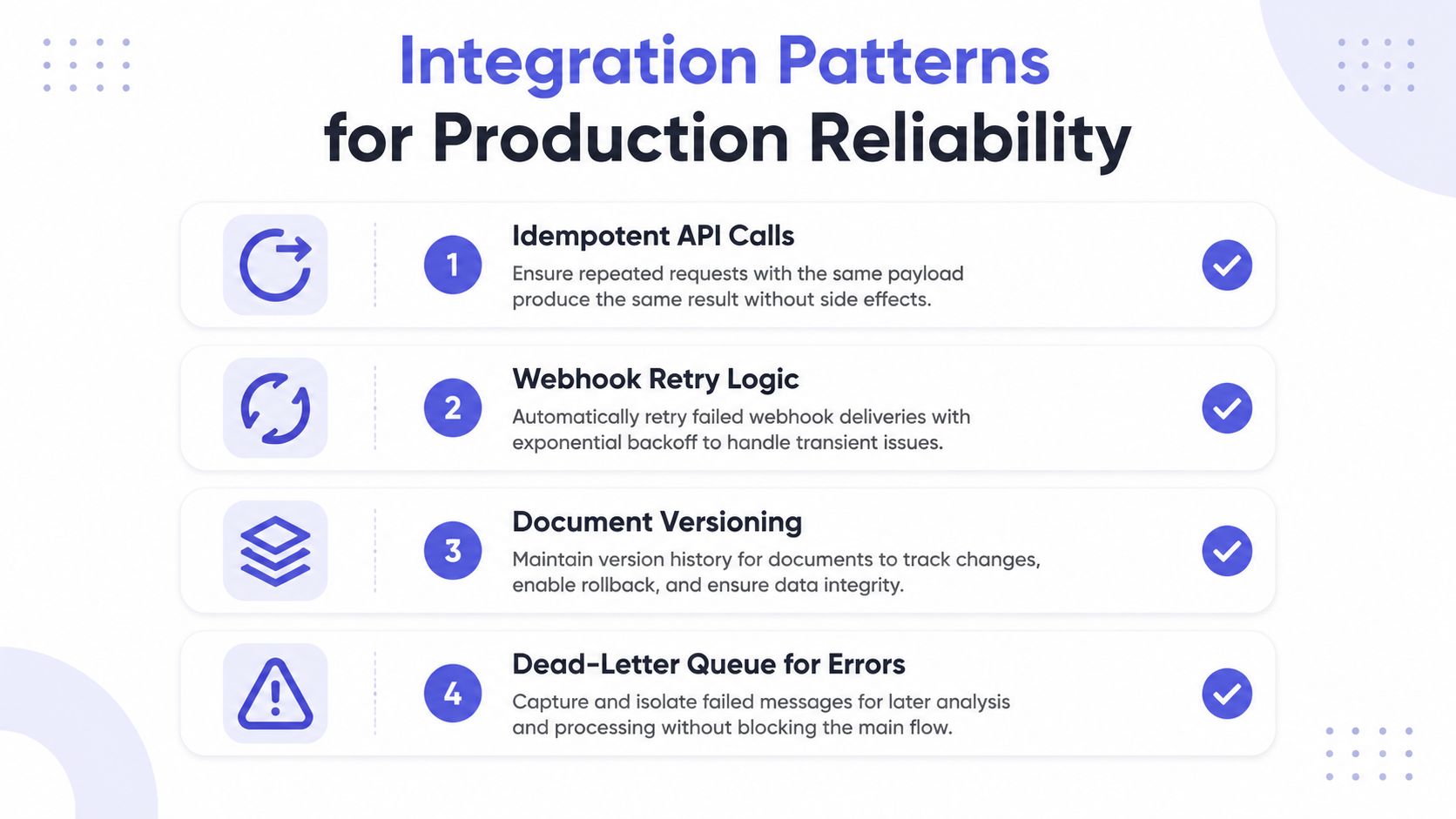
Every render request should have a durable business identifier and an idempotency key. The receiving service stores the key with the resulting job or output. If the same request arrives again, the service returns the existing result instead of starting another job.
This matters most for batch processing. A network failure can leave the caller uncertain about whether the provider accepted the request. Retrying without idempotency can create duplicate documents and duplicate downstream actions. The database or queue, not the client’s memory, should decide whether work already exists.
Treat callbacks as hostile input
Completion events should be authenticated and processed as duplicate-prone. Webhook retry guidance for e-signature workflows recommends validating an HMAC signature against the raw payload, using a timing-safe comparison, applying replay protection with timestamps, and enforcing idempotency at the database or queue layer.
The handler should verify the signature before parsing business fields. It should reject stale events according to the provider’s policy, record the event identifier, and return a successful response only after safely storing the event or scheduling its work. A retryable downstream failure belongs in a queue, not in an unbounded request thread.
A callback is a message, not proof that the next step has completed.
Choose polling or callbacks deliberately
Polling is simple and predictable for smaller integrations. The client submits a job, stores the job identifier, and checks status using controlled intervals. Callbacks reduce unnecessary requests for longer-running workloads, but they require signature verification, replay protection, delivery observability, and a recovery path when a callback is missed.
Batch jobs should have explicit states such as accepted, processing, completed, partially failed, and failed. Each row should retain its own error information. A dead-letter queue prevents one malformed record from disappearing inside a large batch and gives operators a place to investigate or replay it.
The following video provides a visual introduction to the operational patterns involved in reliable automated workflows.
Hosted URLs and direct file streaming serve different needs. An expiring URL is convenient for asynchronous distribution and reduces payload handling, while direct streaming gives the caller immediate control over storage. Either way, access duration, revocation, and ownership should be explicit.
Performance and Best Practices for Scale
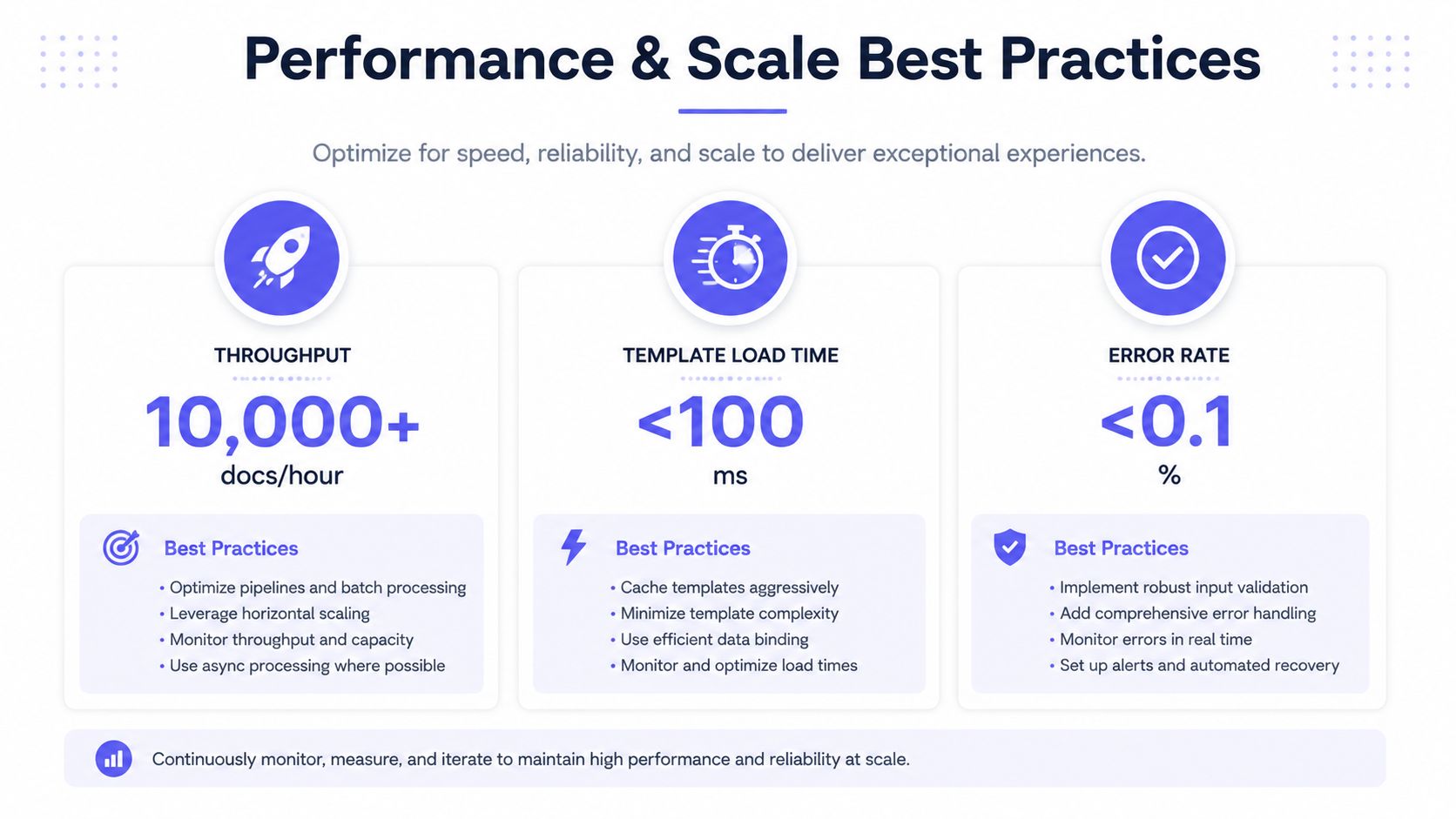
A document pipeline that works for a handful of renders can behave differently under concurrent load. Performance depends on the renderer, template complexity, image handling, queue design, cache behavior, and whether the execution environment must start before every job.
A 2026 server-rendering benchmark measured first-page paint times of 936 milliseconds to 1.14 seconds across 22 documents for a native server renderer. Its WASM variant beat a competing WASM renderer on all 22 cold-start cases and 19 of 22 warm-start cases, showing that execution model and startup state can dominate perceived latency. These results are detailed in the PDF SDK performance benchmark.
Optimize the rendering path
Server-side rendering avoids making every client responsible for browser compatibility, font availability, and layout behavior. A managed native renderer can also simplify operations compared with maintaining a fleet of headless browsers and their dependencies.
Template design affects latency. Large uncompressed images, unnecessary layers, complex transparency, and oversized fonts can increase rendering work. Teams should test representative templates, not only minimal examples. A visually simple badge and a photo-heavy promotional page may stress very different parts of the system.
Separate interactive and batch work
An interactive request needs a fast acknowledgement and clear status. A large batch belongs in a queue, where workers can process jobs with controlled concurrency. Parallel requests can improve throughput when the provider and downstream systems support them, but unbounded concurrency can create memory pressure, rate-limit failures, or storage contention.
Caching is useful when the template and fixed assets remain unchanged. The system should cache reusable resources without caching personalized output under an ambiguous key. A safe cache key includes the template version and the relevant asset state, while personalized results remain tied to the job and payload.
Monitor more than latency
Operations teams should track render duration, queue wait time, validation failures, callback delivery, retry counts, output size, and provider errors. Transparent metering matters because a failed render shouldn’t be treated as successful automation. Usage tracking also needs to distinguish organizations, workspaces, or API credentials so one workload doesn’t hide another’s behavior.
Error handling should classify failures. Invalid data requires correction, a temporary provider error may be retried, and a malformed template needs an owner and a deployment process. Without these categories, teams tend to retry everything, which increases load while leaving the underlying defect unresolved.
Your Action Plan for Implementing Document Automation
A practical rollout starts with a narrow workflow, not an enterprise-wide replacement project. The first candidate should have structured inputs, a stable visual format, a clear owner, and an output that can be checked against a known example.
Build the first production path
-
Inventory recurring documents. Record which teams create them, where the data originates, who approves the result, and where the final file must go.
-
Choose the rendering model. Use deterministic templates when layout, brand control, repeatability, or print quality matters. Add AI upstream when the source data is unstructured or requires interpretation.
-
Define the schema before the template is finished. Name fields clearly, specify required values, decide how missing data behaves, and expose the contract for validation.
-
Version the template and test real payloads. Include long names, missing images, unusual characters, large values, and page-boundary cases. Store the template version with each generated job.
-
Make retries safe. Add idempotency keys to submissions, authenticate callbacks, record event identifiers, and route unresolved failures to a dead-letter queue.
-
Measure operational quality. Review failed renders, duplicate prevention, queue delays, approval time, output consistency, and the effort required to update a template. Speed alone won’t reveal governance failures.
A visual editor helps design and operations teams own layouts without turning every change into an engineering task. Code-based integration remains important for authentication, data mapping, queue control, and monitoring. The strongest implementation gives each group a clear boundary instead of asking designers to maintain application logic or engineers to approximate brand layouts in code.
Before committing, run representative documents through a trial workflow and review the provider’s output formats, API behavior, workspace controls, usage visibility, and failure handling. Teams can compare available pricing options against expected volume and operational requirements, then begin with a low-risk batch before expanding into invoices, contracts, or customer-facing communications.
Choose a repetitive document workflow, define its schema, and test it with real production edge cases this week. A controlled pilot will reveal more than an AI feature checklist, especially when the evaluation includes template versioning, idempotent retries, callback security, audit records, and predictable final output.