Showing Posts From
Comparison
- 20 Aug, 2026
Canva Bulk Create: The Limits, and What to Do When You Hit Them
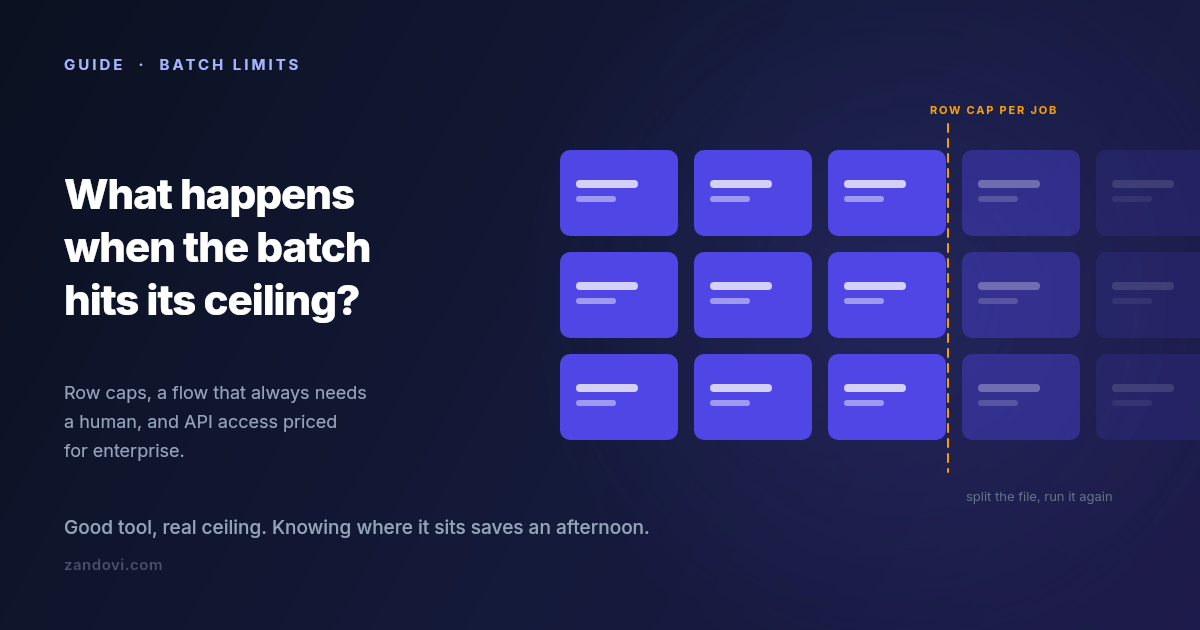
We make a tool that competes with part of what Canva does, so weigh this accordingly. It's also true that most people reading this should probably stay where they are, and this post says where that line is. Canva's Bulk Create is a good feature. You build a design, connect a spreadsheet, map columns to text and image placeholders, and get a personalized copy per row. For name badges, social variants and simple certificates, it is often the fastest path from data to output, and if it's working for you there's no reason to change anything. But there's a specific set of walls people hit, and hitting one tends to send you searching. Here's what they are. Wall 1: rows per batch Bulk Create caps how many rows you can process in one go. Canva's help center documents the current figure, which has been in the low hundreds, and the cap applies per batch, so a larger dataset means splitting the file and repeating the process. The documented cap is usually not the real limit anyway. Each row becomes a page in a single Canva document, so a few hundred rows produces a few hundred pages in one file, and the editor gets progressively heavier to work with. In practice most people find their comfortable batch size well below the technical maximum. Not because it stops working, but because reviewing and exporting a 300-page document is its own chore. If you're generating a few hundred items a few times a year, splitting the file is genuinely fine. If it's a recurring weekly job, the splitting is the problem. Wall 2: it's a human-in-the-editor flow This is the bigger one, and it's structural rather than a number you can raise. Bulk Create is something a person does: open the design, connect the data, map the fields, generate, review, export. There is no version of it that fires when a form is submitted, when an order completes, or when a row lands in a database. Someone has to be at the keyboard. That's fine for campaign work. You sit down, you make the batch, you're done. It doesn't work at all for anything continuous. If your certificates should be issued the moment a learner finishes a course, or the voucher should be in the welcome email that goes out ninety seconds after signup, no amount of batch processing gets you there. You need something a server can call. Wall 3: programmatic access is gated high Canva does have a developer platform. The Connect APIs include autofill endpoints that populate a brand template from data programmatically, which is exactly the capability the previous section is asking for. The catch is the plan requirement. Per Canva's own documentation, using the Autofill APIs in production requires the integration to act on behalf of a user in a Canva Enterprise organization; users on other paid plans get limited access while an integration is under development. If you're a solo operator or a small team on Pro or Teams, that path isn't open to you at the price you're currently paying. So the honest summary is that automated generation exists in the Canva ecosystem, and it's priced for organizations rather than for the person with a spreadsheet and a deadline. Wall 4: the details that surface at scale Smaller than the first three, but they're what people actually complain about once volume goes up. No per-field validation before generating. Bulk Create maps whatever is in the cell. If row 88 has a malformed date or a code in the wrong format, you find out by looking at page 88. At twenty rows you'd notice. At three hundred you won't, and the error reaches whoever receives it. Unique codes per row need care. A single QR code on a design is easy. A different QR code per row, one encoding each recipient's own redemption or verification URL, is a different requirement, and it's worth testing on three rows before you commit a whole campaign to it. Print output. Canva exports print-quality PDFs, but if your requirement is a specific DPI, exact physical dimensions, and predictable behaviour when a print shop opens the file, this is worth verifying carefully rather than assuming. Long values break layouts. A name twice as long as your test data will overflow or wrap unless the text element is set up to handle it. This bites everyone, in every tool, and it's the single most common cause of a batch that has to be regenerated. Option A: stay, and split Worth saying plainly: if you generate a few hundred items a handful of times a year, splitting the spreadsheet costs you fifteen minutes per campaign. That is cheaper than migrating, cheaper than learning a new tool, and cheaper than adding a subscription. Canva's design capabilities and asset library are genuinely excellent, and none of the walls above are about design quality. Split by something meaningful, like cohort or date or region, rather than by arbitrary row ranges, and the resulting files stay organized on their own. Option B: write a script If you're comfortable with code, generating personalized images from a CSV is a solid afternoon of Python or Node. You get complete control and no subscription. You also get to own it. Font rendering, the PDF library's quirks, and the layout code all become yours to maintain, and the person who needs the design changed next quarter has to ask you rather than doing it themselves. That trade is worth it for some teams and clearly not for others. Option C: a tool built for the batch case The third option is a design editor whose batch and API paths aren't an afterthought. This is what we built Zandovi to be, and here's the concrete comparison rather than a pitch. Batch from a spreadsheet. Design once, download a CSV whose headers already match your template's variable names, fill it, upload it. Rows are validated against the template's rules before anything renders, so mismatched columns, missing required values, values outside a variable's allowed list and QR data that won't encode all get caught up front — along with an advisory flag on any column whose values run far longer than the design allows for. You fix them in the sheet and re-upload. Then you get a ZIP with one file per row, rather than a many-page document to export. Row caps per job are 25 on the free plan, 100 on Personal, 200 on Studio, 300 on Team and 400 on Business. So this is not an unlimited-rows story either, and large datasets still get split. What changes is the validation and the output shape. The same design, callable. The template you built for the batch flow is also an API endpoint: POST the variable values, get PNG, JPEG, WebP or PDF bytes back. Every paid plan includes full API access, with no enterprise tier standing between you and automating it. That's the wall-2 and wall-3 answer in one. Unique codes per row are the normal case. QR and barcode elements bind to variables like any text field, so each row can carry its own redemption link or verification URL without a workaround. Print output is explicit. DPI is a setting (96, 150 or 300), PDF costs the same as a PNG with no format multiplier, and the canvas can be set up in millimetres or inches from the start.Where Canva is still the better answer Being fair about this matters more than winning the comparison. Design breadth is the obvious one. The stock library, the font selection, the sheer number of starting points: that's Canva's moat, and it's a real one. So is familiarity. If four people need to edit the design and all four already use Canva, that's worth more than any feature comparison. Occasional, low-volume batches don't justify adding a tool either. A few hundred items twice a year is not a problem worth solving with a second subscription. And if you're already on Teams or Enterprise, the API question is settled and brand controls come with it. The case for moving is narrower than a vendor blog usually admits: you're generating regularly, the volume makes the manual flow tedious, you need validation or unique codes per row, or you need a server to trigger it and don't have Enterprise. Moving one design, if you do Don't migrate everything. Pick the single design causing the most repetitive work and rebuild just that one:Rebuild the layout on a canvas of the same dimensions. An hour, usually less. Mark the changing elements as variables, setting which are required and which have a fixed list of allowed values. This is the step with no Canva equivalent, and it's what stops bad rows from becoming bad output. Download the generated CSV template and paste your existing data under the headers. Run a batch of five rows first. Check the longest name, the shortest name, and anything with an accent or a non-Latin character. Then run the real batch.The free plan includes 100 renders a month with no card, which is enough to rebuild one design and test it properly before deciding anything.References: Canva Bulk Create help, Canva Connect Autofill API docs. Both were checked in July 2026. Canva's limits and plan requirements change, so confirm the current figures on their pages before making a decision.
- 12 Aug, 2026
What a Rendered Image Actually Costs: Image Generation API Pricing in 2026
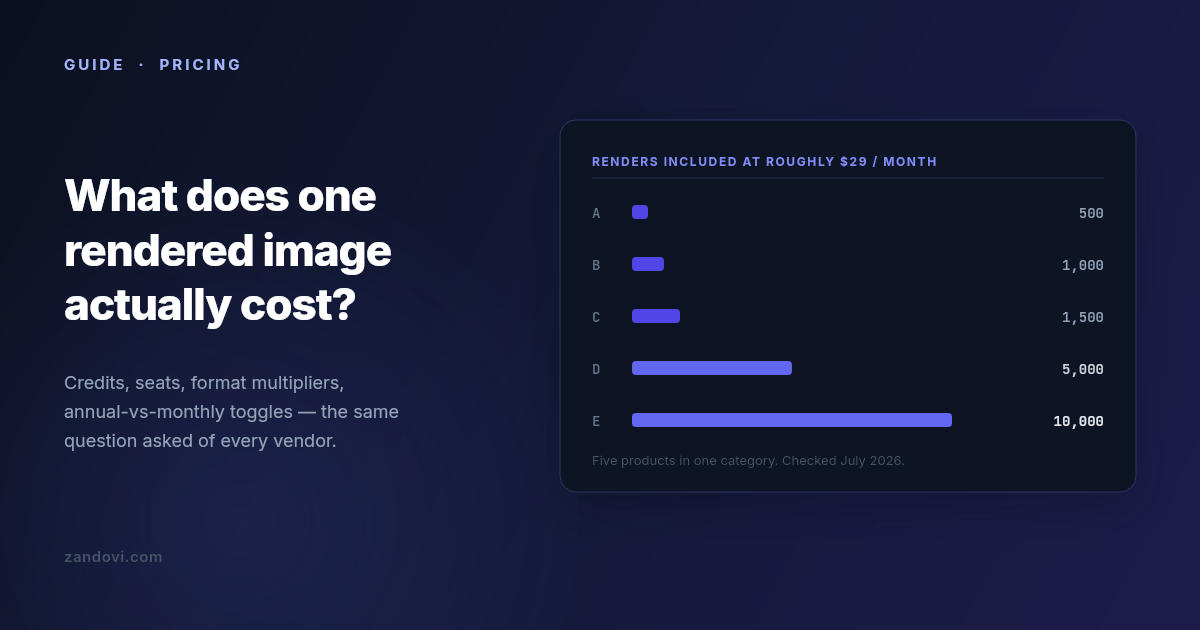
We build one of the products in this category, so read this with that in mind. What follows is the comparison we had to do for ourselves, written down. Every number is from the vendor's own public pricing page, checked in July 2026, and linked so you can verify it. Linked also so you can catch it when it goes stale, because these pages change every few months. Why these pricing pages are hard to compare Five things make a straight comparison awkward, and only some of them are accidental. Credits are not renders. Some vendors charge one credit per image and some charge multiples for certain outputs. A PDF might cost two credits per page. A video costs by duration. If your workload is mostly PDFs, a plan advertising 5,000 credits might deliver 2,500 documents. Annual prices are shown as if they were monthly. The large number on the page is often the annual-billing rate divided by twelve. Paying month to month costs meaningfully more, commonly 15-25%. Check which toggle is selected before you write the number down. Some vendors meter per seat. A plan at $45 per seat with 450 credits per seat looks cheap next to a $149 flat plan until you have four people, at which point it isn't. Free tiers range from generous to decorative. "Free" sometimes means a recurring monthly allowance and sometimes means a one-time bundle of trial credits that never refills. Those are very different things when you're evaluating. What counts as a render varies. On most platforms, exporting an image by hand from the web editor consumes the same credit an API call would. On a few, it doesn't. If your team does a lot of manual design work alongside the automated pipeline, this is the difference that dominates the bill. The number to compare Ignore the plan names. Compute cost per 1,000 renders at the tier you'd actually be on. Not the cheapest tier, and not the enterprise one, but the one that covers your realistic monthly volume with maybe 30% headroom. Then check whether your specific output type carries a multiplier. Entry tiers, July 2026 Prices as listed on each vendor's public pricing page in July 2026. Where a vendor shows annual pricing by default, the monthly rate is noted.Product Entry plan Renders included ≈ Cost / 1,000 Free tierPlacid $19/mo 500 credits ~$38 Trial creditsBannerbear $49/mo 1,000 credits ~$49 30-credit trialTemplated $29/mo 1,000 credits ~$29 One-time 50 creditsAPITemplate.io $29/mo billed annually ($35 monthly) 1,500 renders ~$19-23 50/moZandovi $29/mo 5,000 renders ~$5.80 100/moAnd the higher tiers, where the per-render economics usually improve:Product Mid tier Renders ≈ Cost / 1,000Placid $39/mo 2,500 ~$16APITemplate.io $69/mo 9,000 ~$7.70Bannerbear $149/mo 10,000 ~$15Zandovi $79/mo 25,000 ~$3.20The part most comparisons leave out If you stop reading at the table above, you'll conclude that the established vendors are expensive and everything else is cheap. That's not quite the shape of the market in 2026, because there's a whole second group of products that compete purely on render economics. As of July 2026, that group includes Imejis (around $24.99 for 10,000 renders, with 100 free per month), Bannerify ($29 for 10,000, also with a recurring free tier), RenderForm (from about $9 for 250, with credit rollover), HTML/CSS to Image (around $14 for 1,000) and Switchboard (around $19 for 1,000). Look at those numbers next to the table and the honest conclusion is that on price per render alone, the budget group wins, and nobody in the established group beats them. That includes us. Bannerify sells 10,000 renders for the same $29 that buys 5,000 from Zandovi. We're saying this out loud because it's the thing you'd find in twenty minutes anyway, and because it points at the actual question. If cost per render were the only variable, this would be a one-line market and the cheapest vendor would have all of it. It isn't, so the useful question is what you give up at each price. What you're actually buying at each price point The budget group is typically API-first. You give it HTML/CSS or a simple template definition and it gives you an image, fast and cheap. What's usually thin or absent: a real visual editor a non-engineer can use, batch processing from a spreadsheet, print-ready output at a controlled DPI, team accounts with roles, and template management beyond a list. If your rendering need is well-defined, high-volume, and owned entirely by engineers, this group is very hard to argue against. The established group charges more per render and sells operational maturity: years of uptime history, mature integration ecosystems, video and GIF generation in Bannerbear's case, support you can escalate to. If you're integrating rendering into a product your customers depend on, that history is worth paying for and the per-render delta is probably noise in your budget. Seat-metered products like Abyssale price around teams rather than volume. If your usage is five designers each making a moderate number of assets, that model can work out cheaper than volume pricing. If it's one server making 100,000 calls, it won't. Five questions that change the answer more than the headline price Does your output type carry a multiplier? If you generate PDFs, ask specifically. One credit per page versus two per page doubles your bill and appears nowhere in the headline number. What happens at the limit? Most of this category hard-stops when you exhaust your quota, and requests start failing until the reset. A few sell overage credits instead. Neither is wrong, but they fail differently. A hard stop means a broken feature and an upgrade decision at 2am, while overage means a surprise on the invoice. Know which one you've bought. Do editor exports count? If your team designs in the web editor and exports by hand, check whether those exports draw from the same pool as your API calls. On most platforms they do. Is the free tier recurring? A monthly allowance lets you build, test in CI, and run a small side project indefinitely. A one-time trial bundle lets you evaluate for an afternoon. Both are legitimate; only one is useful to develop against. How many templates can you have? Template caps exist on some entry plans and are a recurring complaint in reviews of this category. If you're generating across a dozen designs, a three-template cap ends the evaluation regardless of render price. A rough decision guide If you need images inside a product, at volume, and engineers own the whole pipeline, start with the budget group. The economics are genuinely better and the missing features are ones you may not need. If you need a track record, integrations that already exist, or video, Bannerbear and Placid are the incumbents for a reason. Pay the premium and stop thinking about it. If non-engineers need to own the designs, you need a real editor, and the field narrows sharply. Most cheap renderers are code-first by design. And if your workload is bursty and human-driven, a few hundred certificates after an event or a set of vouchers per campaign rather than steady API traffic, look for spreadsheet batch processing and check what a manual export costs you. Where we fit, stated plainly Zandovi is $29/month for 5,000 renders, with 100 free per month on a recurring basis. Against the category leaders that's several times more renders per dollar. Against the budget flank it isn't the cheapest, and we're not going to pretend otherwise. What we're actually built around is the combination: a full visual canvas editor where any text, image, QR code or barcode can be a variable; spreadsheet batch generation that outputs a ZIP; print-ready PDF at 300 DPI with no format multiplier; and unlimited manual editor exports on every paid plan, because metering someone's design work by the click never made sense to us. If you need none of that, buy renders from whoever sells them cheapest. That's a real answer, and for a lot of workloads it's the right one. Verify before you commit Every number here has a date on it and a link next to it, and that's deliberate. This category re-prices constantly: over the twelve months to July 2026 at least three of the products named above restructured their plans. Before you sign up for anything, open the linked pricing page and confirm the number yourself, paying attention to the annual/monthly toggle. And build a small proof of concept on the free tier before you commit to a year. Cost per render is easy to compare on a spreadsheet and rarely the thing that decides whether a tool works for you.Sources: Bannerbear pricing, Placid pricing, APITemplate.io pricing, Templated pricing, Zandovi pricing. All figures checked July 2026.